
YieldCraft — reconciling planned against actual
YieldCraft captures what a completion actually consumed against what it was planned to consume, and requires the resulting difference to be accounted for in inventory rather than written off silently.
Entering actual usage
The dialog lists each component with its planned quantity and an editable actual usage field. Variance is calculated as you type.
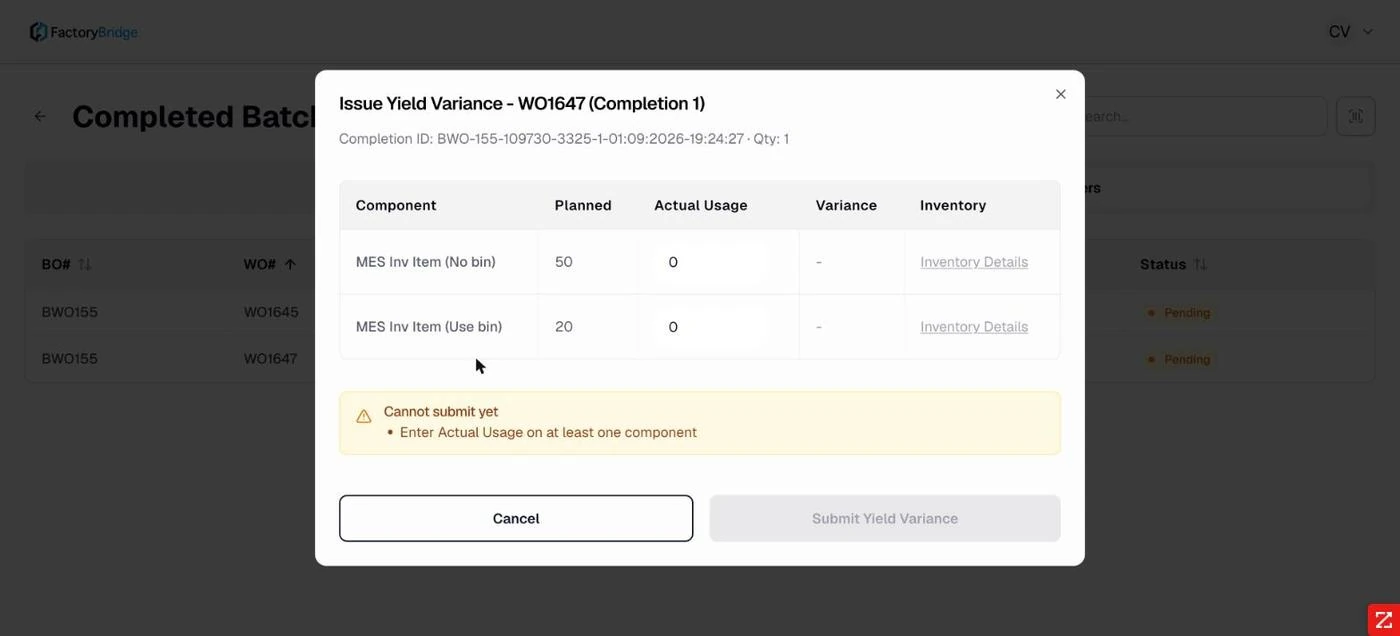
Issue Yield Variance. Component, planned, actual usage, variance and an inventory link per row.
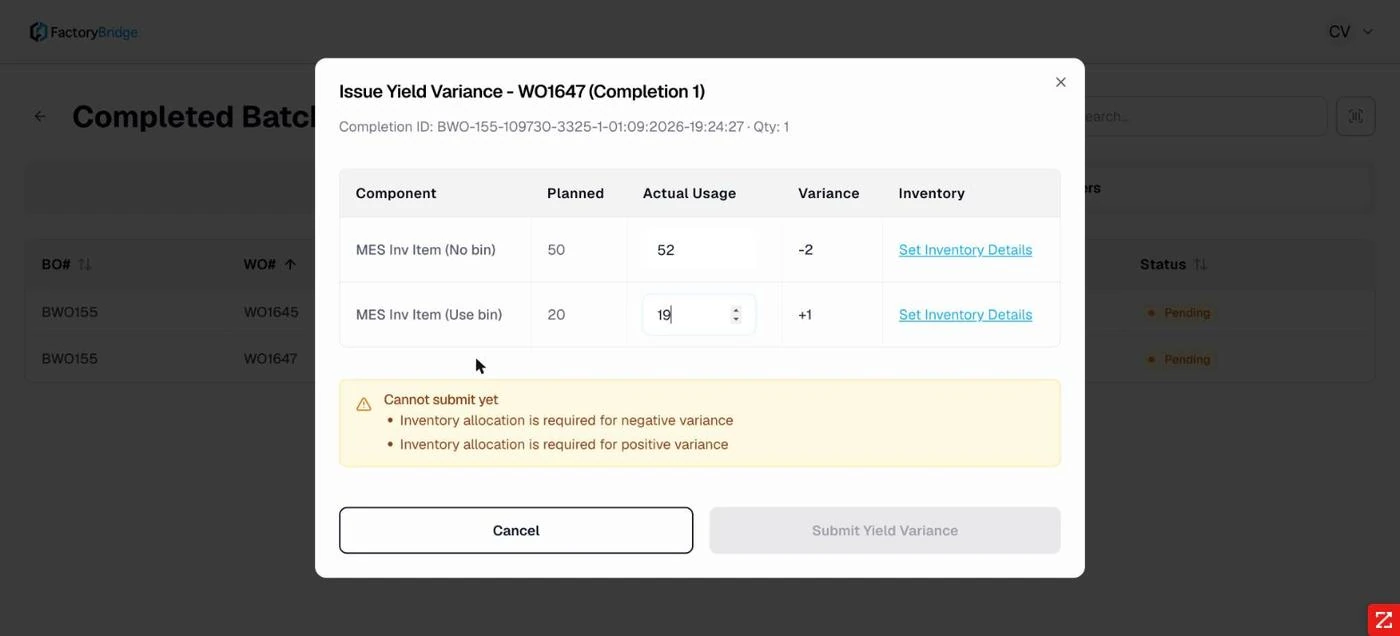
Variance calculated. Planned 50 against actual 52 gives −2; planned 20 against actual 19 gives +1.
Read the sign convention carefully
Variance is calculated as planned minus actual. Using more than planned produces a negative variance; using less produces a positive one. This is the accounting convention — positive means material was saved — but it is the opposite of what many operators assume. Worth covering explicitly in floor training.
Variance must be allocated
A variance cannot simply be declared. Each one has to be allocated against real inventory before the form will submit, so the difference lands somewhere accountable.
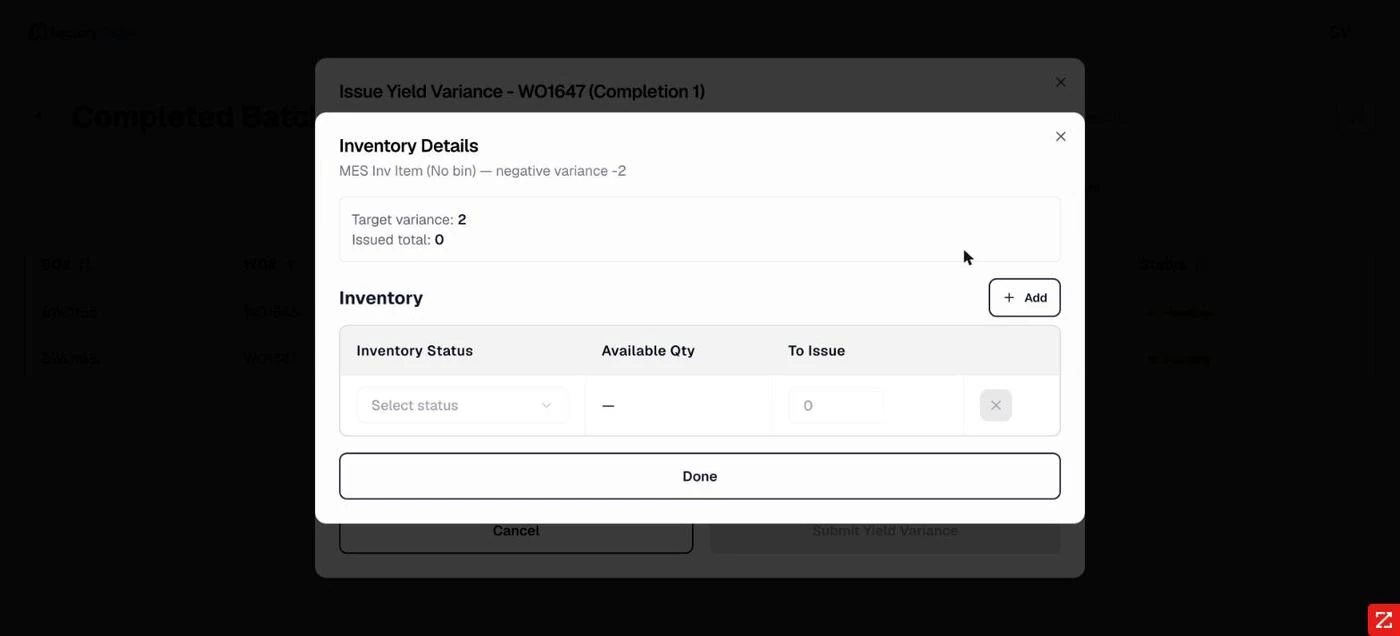
Negative variance. Target variance and issued total, with inventory status, available quantity and quantity to issue.
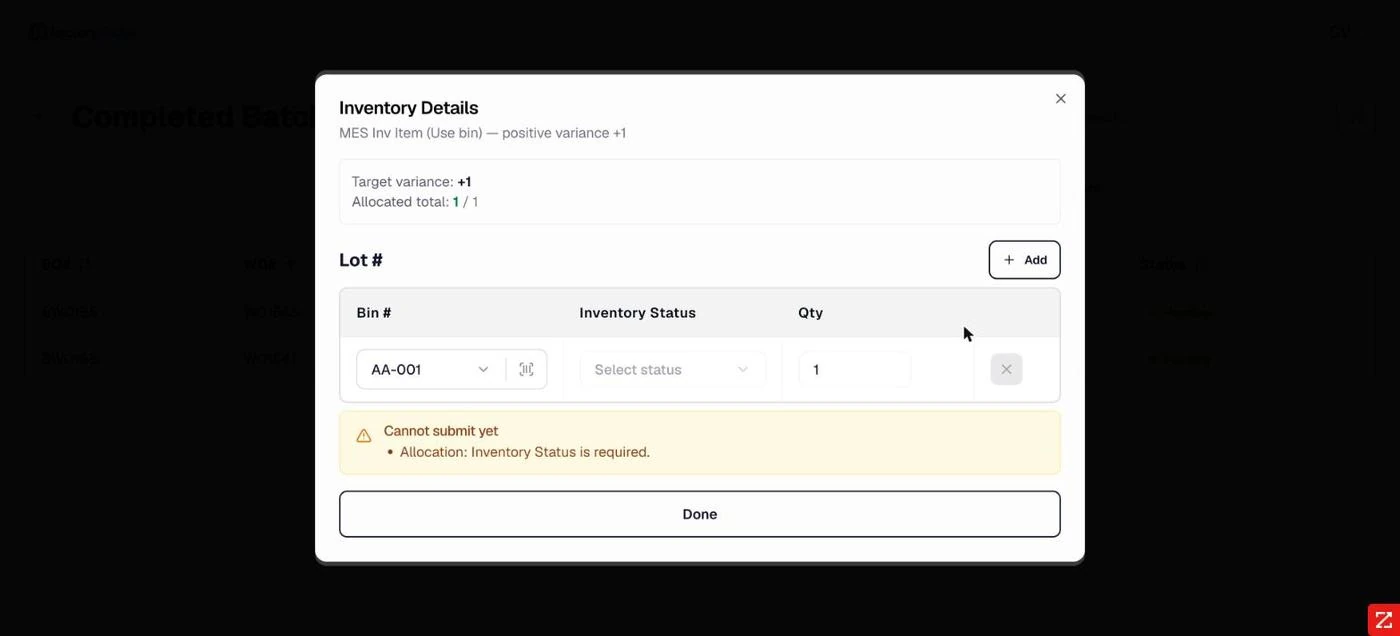
Positive variance. Bin and status for material returning to stock, with allocated total tracked against target.
The allocation panel tracks issued or allocated total against the target and turns it green on a match. Until the two agree, the parent dialog continues to refuse submission.
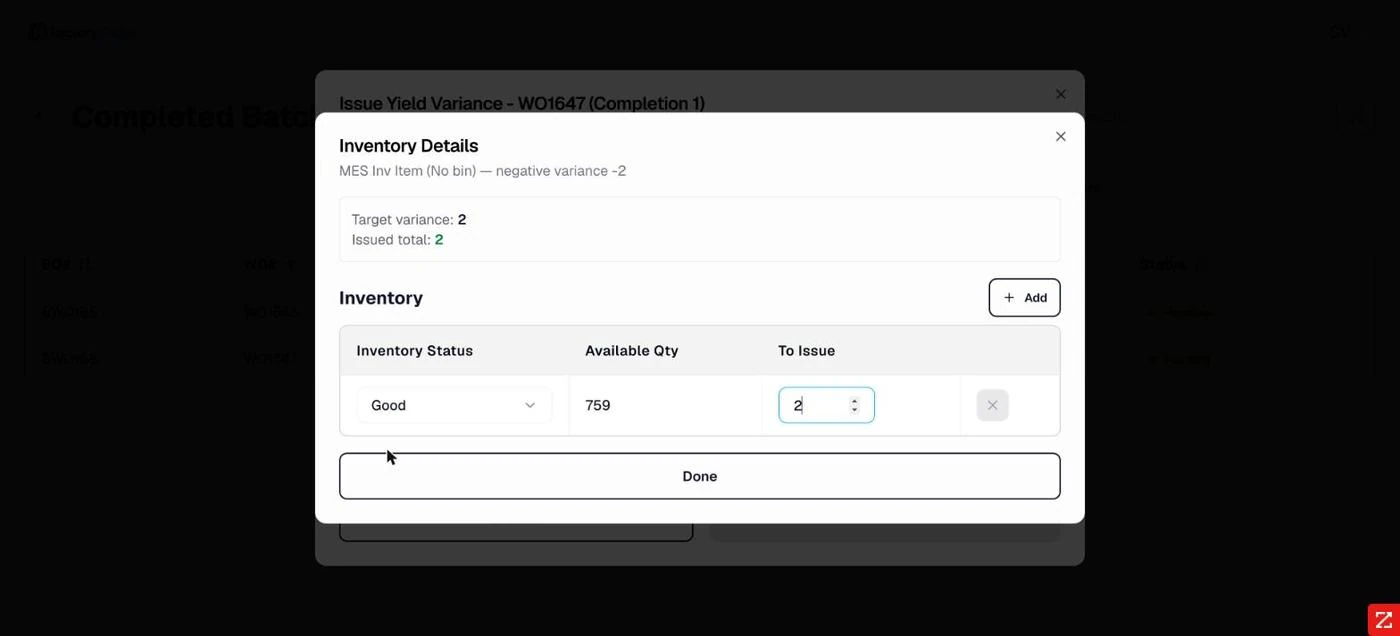
Allocation matched. Issued total equals target variance, with available quantity resolved from the chosen status.
Zero variance
Where actual equals planned there is nothing to allocate and the form submits immediately — the common case, and it stays out of the way.
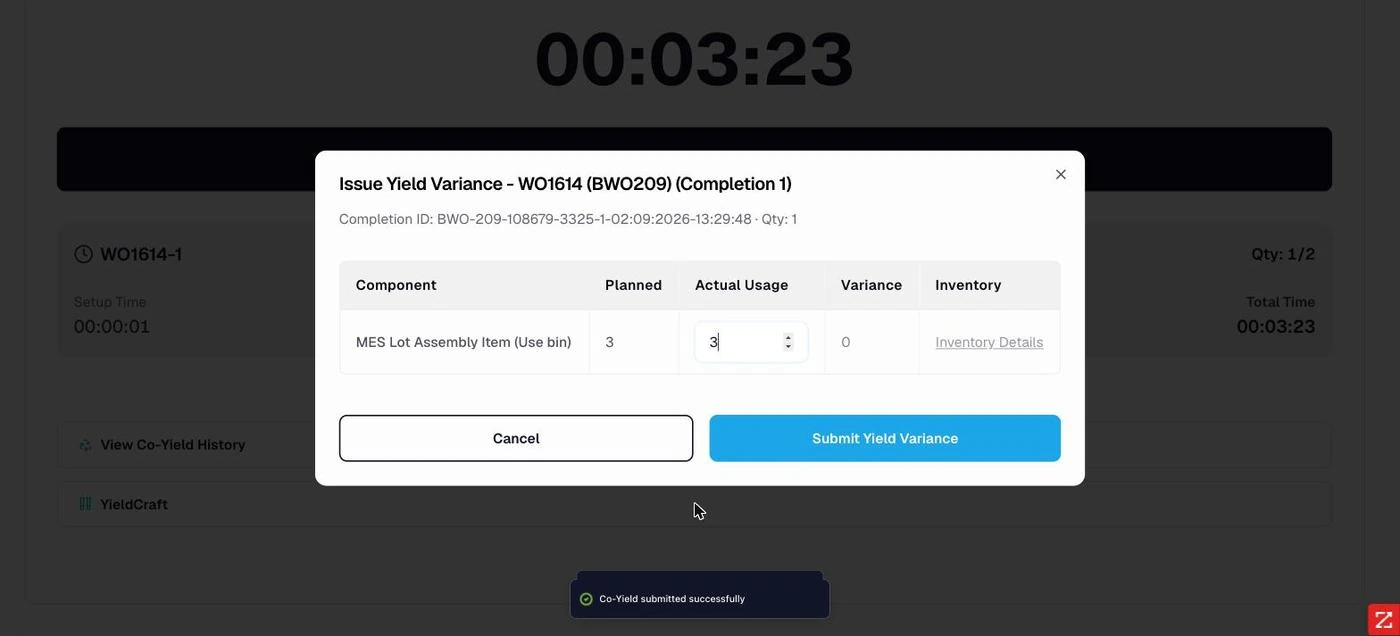
Zero variance. Actual matches planned, so no allocation is required and submission is immediate.
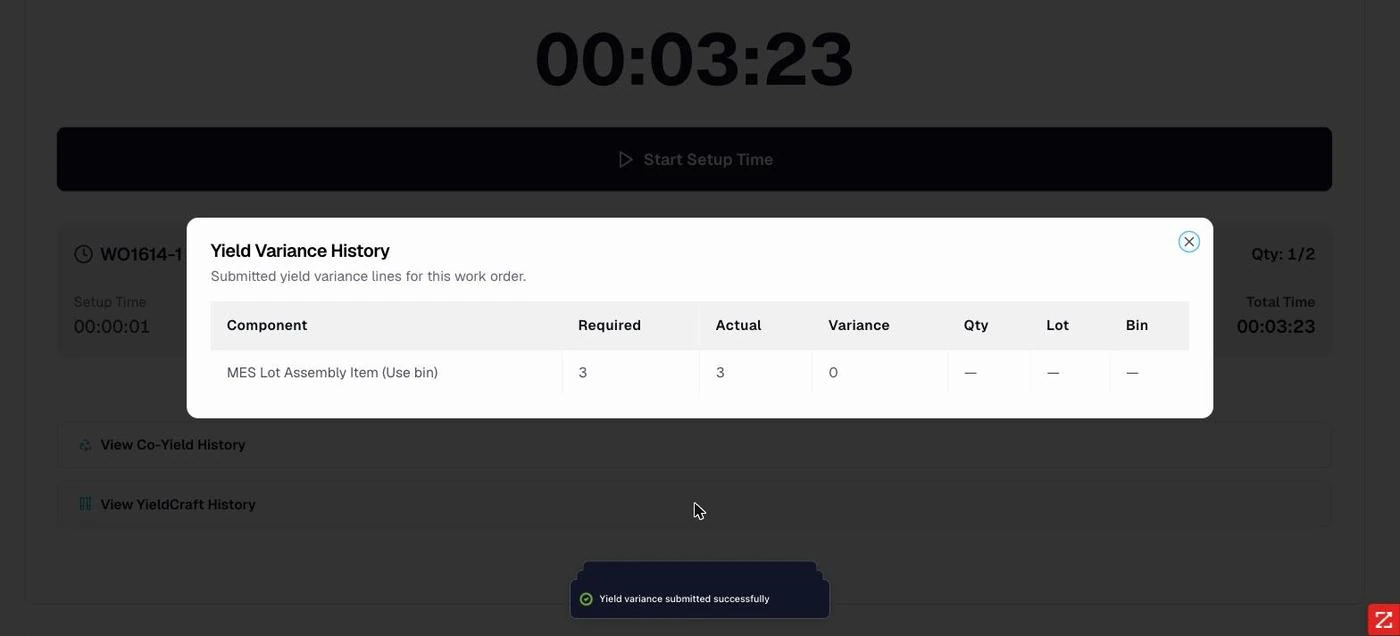
Yield Variance History. Component, required, actual, variance and the allocation detail.
Frequently asked questions
Why does the allocation dialog say "negative variance −2" but "Target variance: 2"?
The heading restates the signed variance; the target is the absolute quantity to allocate. The two refer to the same difference. It reads inconsistently and is worth aligning, but the arithmetic is correct.
Can yield variance be recorded without issuing components first?
Yes. Planned quantities come from the work order's component requirements rather than from what was issued, so YieldCraft can be completed independently of Issue Components.
What happens to the allocated material?
It is posted against the chosen inventory status and bin — extra consumption issued out of stock, savings
returned to it. The audit log records the submission as YieldCraft · Submit.
Frequently Asked Questions
What happens to the variance?
It has to be allocated against real inventory rather than written off silently, so the adjustment is visible and attributable.
Is variance recorded per work order or per operation?
It is reconciled against the work order components, using what was actually issued at the operations along the way.