
The Operator Console
Everything an operator touches lives behind three choices: which site they are at, which work center they are standing at, and which kind of work they are doing.
Location, work center, module
The console does not open onto a list of everything. It narrows deliberately, so that an operator at a single machine sees only the work that belongs to that machine.
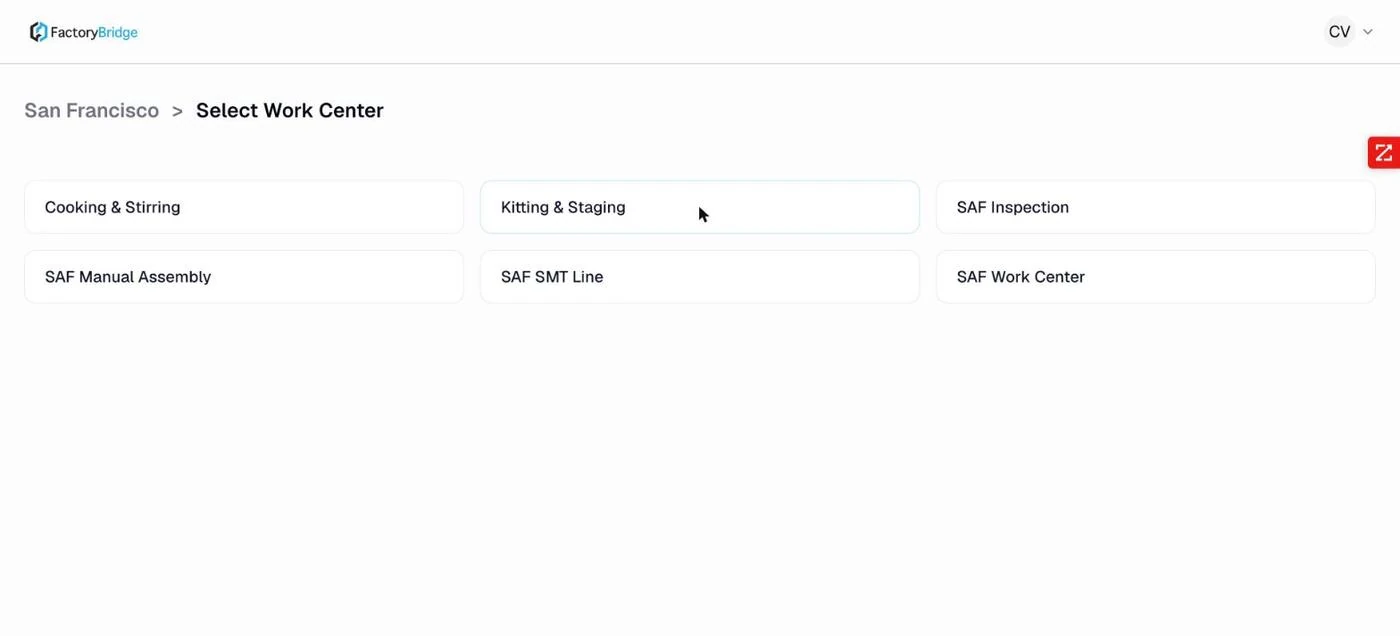
Step 2 — work center. The work centers configured for the chosen location.
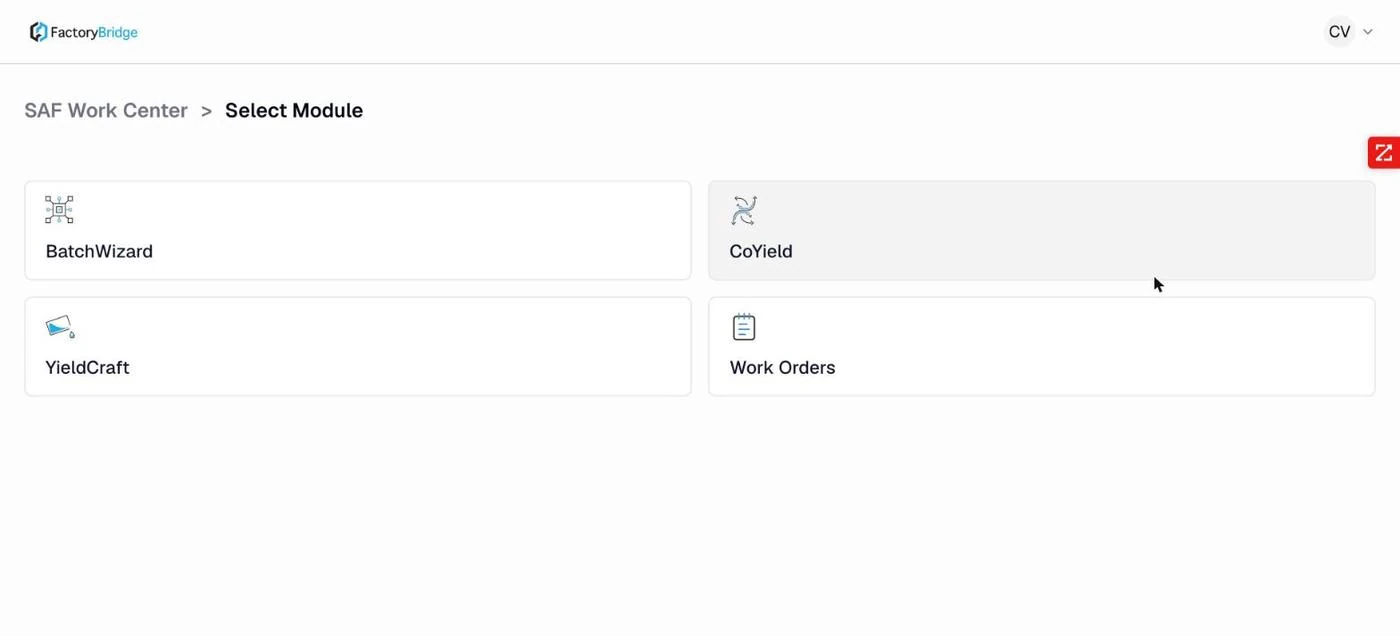
Step 3 — module. Work Orders for direct execution, BatchWizard for campaigns, CoYield and YieldCraft for recording.
The chain is reflected in the URL — /operator/{location}/{workCentre}/{module} — so a
tablet can be bookmarked directly to a station and will reopen there.
Why the module choice matters
Work Orders and BatchWizard are two routes to the same execution screen. Work Orders lists individual work orders routed to this work center; BatchWizard lists batch work orders, each grouping several work orders that run as a campaign. CoYield and YieldCraft are not execution — they are recording modules that act on completions that already exist.
The four modules
Work Orders
Every work order whose current operation sits at this work center, with planned, completed and remaining quantities and accumulated time.
Read the docs →BatchWizard
Batch work orders, each expanding into its member work orders with a sequence number.
Read the docs →CoYield
Records co-products produced alongside the main item, against a specific completion.
Read the docs →YieldCraft
Records actual component usage against planned, and allocates the resulting variance to inventory.
Read the docs →The account menu
The avatar at the top right carries the operator's utilities. Two of them matter day to day.
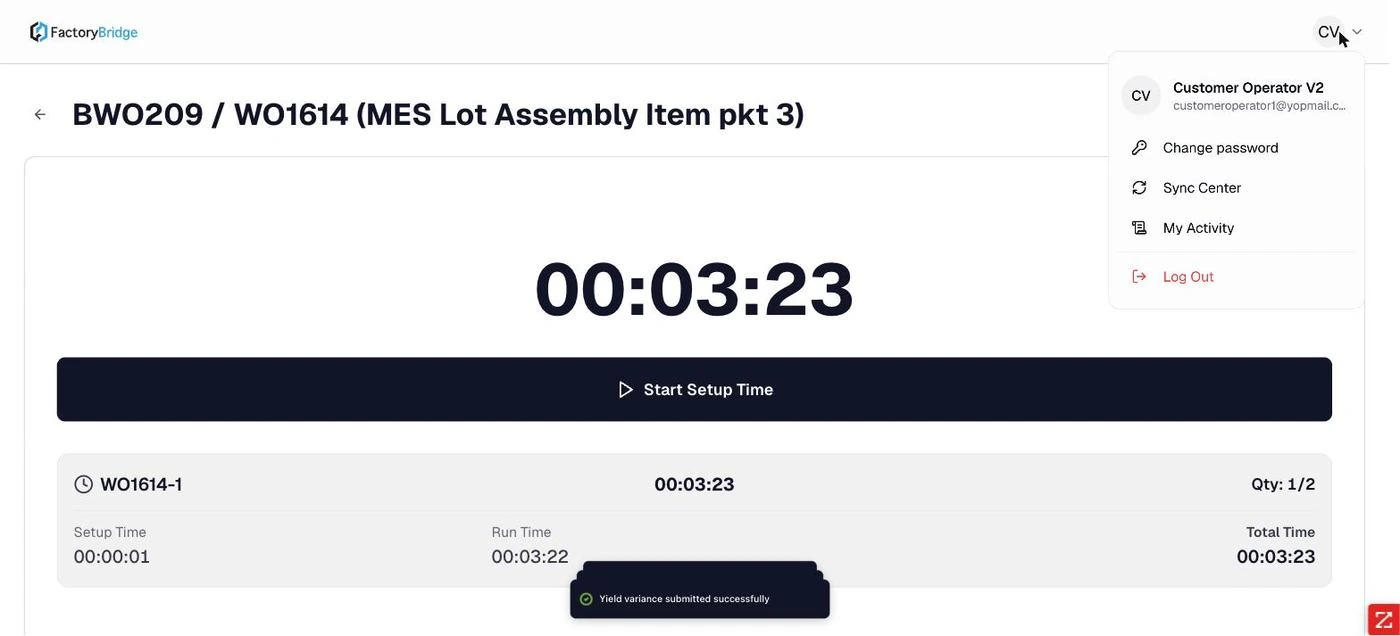
Operator account menu. Change password, Sync Center, My Activity, Log Out.
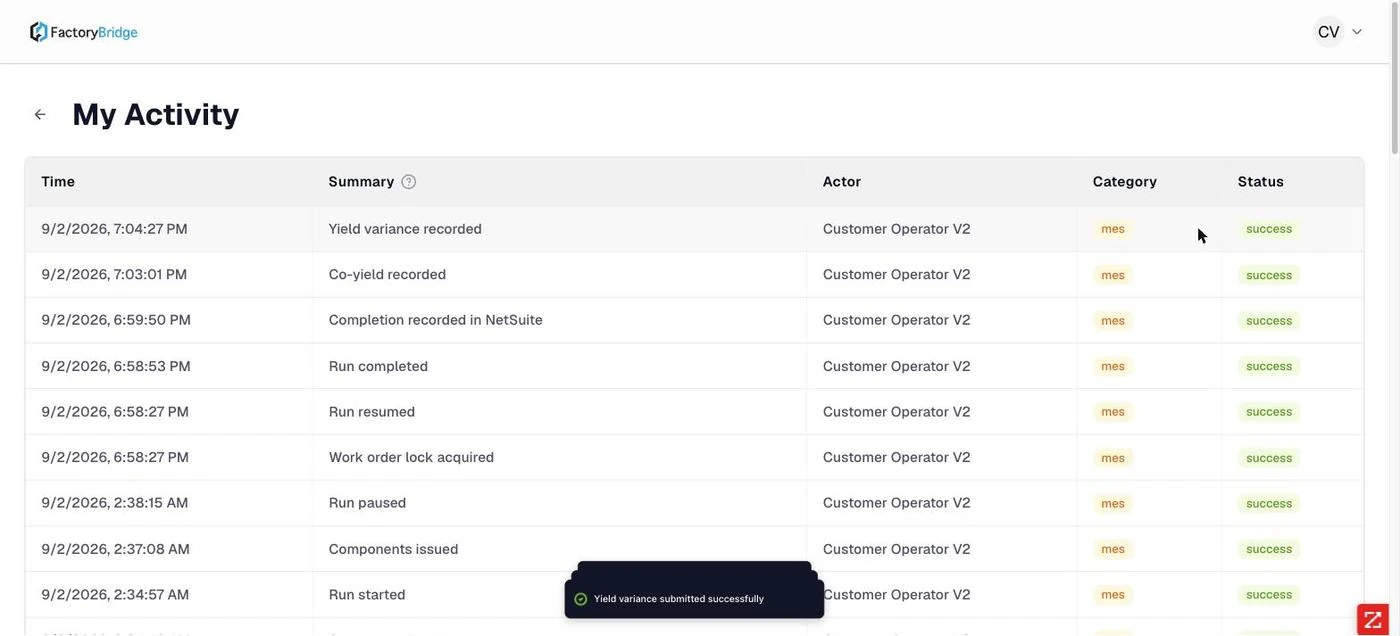
My Activity. The operator's own audit trail, including Work order lock acquired and Completion recorded in NetSuite.
Sync Center holds submissions made while the tablet was offline, ready to sync when it reconnects. My Activity is the operator's own history — useful when someone needs to prove what they recorded and when.
Concurrency is handled with locks
The activity trail includes Work order lock acquired events. Starting an operation takes a
lock on that work order, which prevents two operators at the same work center from running the same job
simultaneously.
Scanning
Scan controls appear next to every identifier field — items, lots, bins — and as a global work-order scan on list screens. They are governed by the Enable Scanning toggle in admin settings.
No separate scanner hardware is required
Scanning uses the device camera through the browser, with an on-screen framing overlay and an Upload photo fallback for long barcodes that will not focus. On a shop-floor tablet the built-in camera is the scanner. A dedicated USB or Bluetooth scanner that emulates a keyboard will also work, since the underlying fields accept typed input.
Frequently asked questions
Why can an operator not see a work order they know exists?
The list is filtered to work orders whose current routing operation is at the selected work center. If the work order is still sitting at an earlier operation it will not appear here. Open any work order's operation details to see where it currently sits.
What happens if the previous operation has not been completed?
The execution screen refuses to start and explains why: "Previous operation has not been started. Complete or partially complete the previous operation before starting this operation." The routing is enforced rather than advisory.
Can one tablet be shared between work centers?
Yes. The location and work center are chosen per session rather than fixed to the device. Sync Center belongs to the tablet rather than to the account, so anything it has queued while offline stays with that tablet until it is back on the network.
Frequently Asked Questions
Does each operator need their own NetSuite login?
Operators sign in with a NetSuite-scoped operator role, which carries every permission except user management and invitations. How that is licensed depends on your NetSuite agreement.
Can one tablet serve more than one work center?
Yes. Location and work center are chosen at sign-in and can be changed, so a tablet is not fixed to a station. The URL carries the scope, so a tablet can also be bookmarked straight to one.
What does an operator see when they sign in?
Only the work routed to the location and work center they selected, filtered to the module they picked — Work Orders, BatchWizard, CoYield or YieldCraft.