
CoYield — recording co-products
Formula-based production rarely yields one output. CoYield records the co-products and by-products that came off the line alongside the main item, tied to a specific completion.
Two ways in
Co-yield can be recorded at the moment of completion or picked up later. Both write the same record.
Inline, at the completion
Immediately after a completion is recorded, CoYield appears as an optional follow-up on the work order screen.
From the CoYield module
A list of completions awaiting co-yield, in Work Orders and Batch Work Orders tabs, each showing Pending or Success.
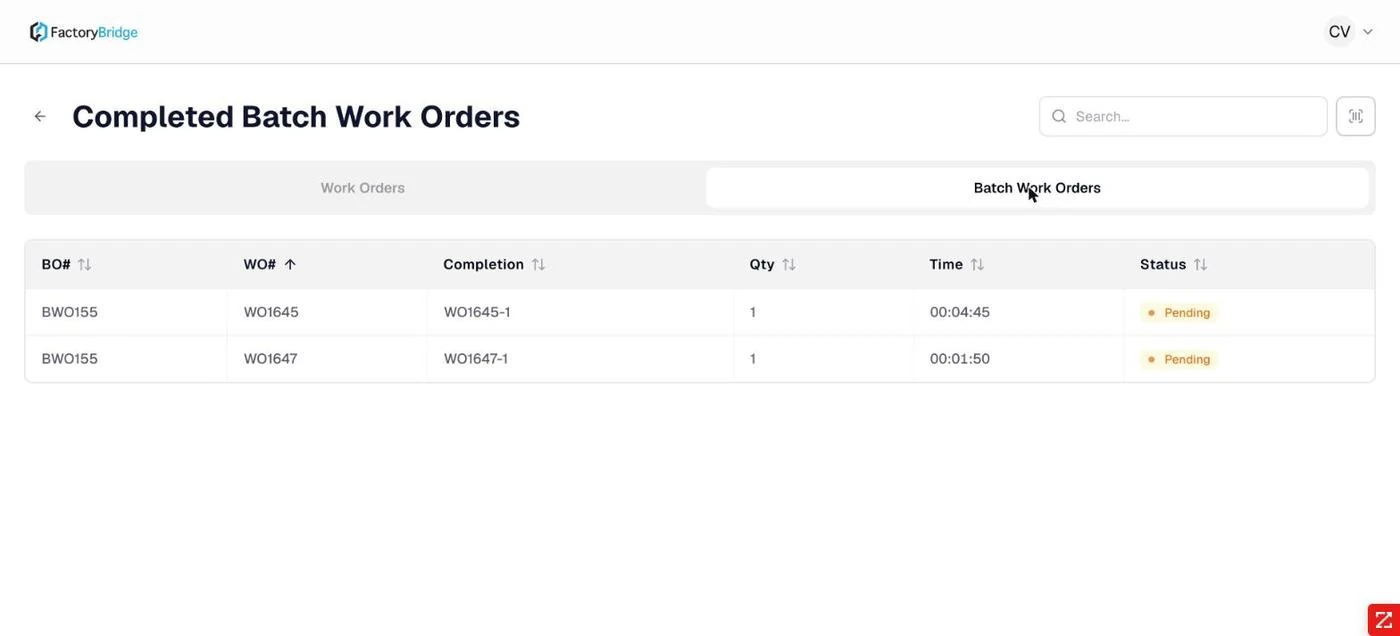
The CoYield module. Completions with their co-yield status — Pending until recorded.
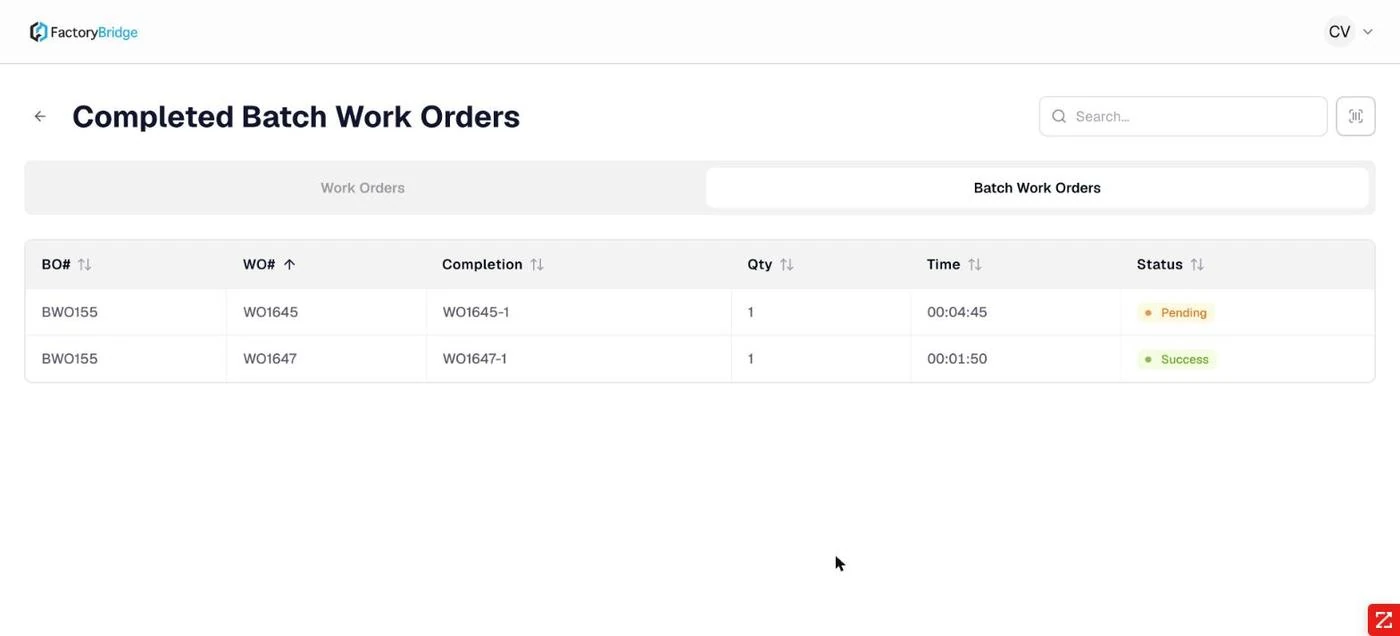
After recording. The row flips to Success. Status describes the co-yield record, not the work order.
Reading the Status column correctly
A completion can show Pending here while the work order itself is fully complete. The column describes whether co-yield has been recorded for that completion — not the state of production.
Recording co-products
The dialog is headed with the work order and completion number and carries the full completion ID and quantity, so there is no ambiguity about which output the co-products belong to.
Where the work order defines co-products, they are pre-populated. Where it does not, the operator adds them from a searchable picker over the item master.
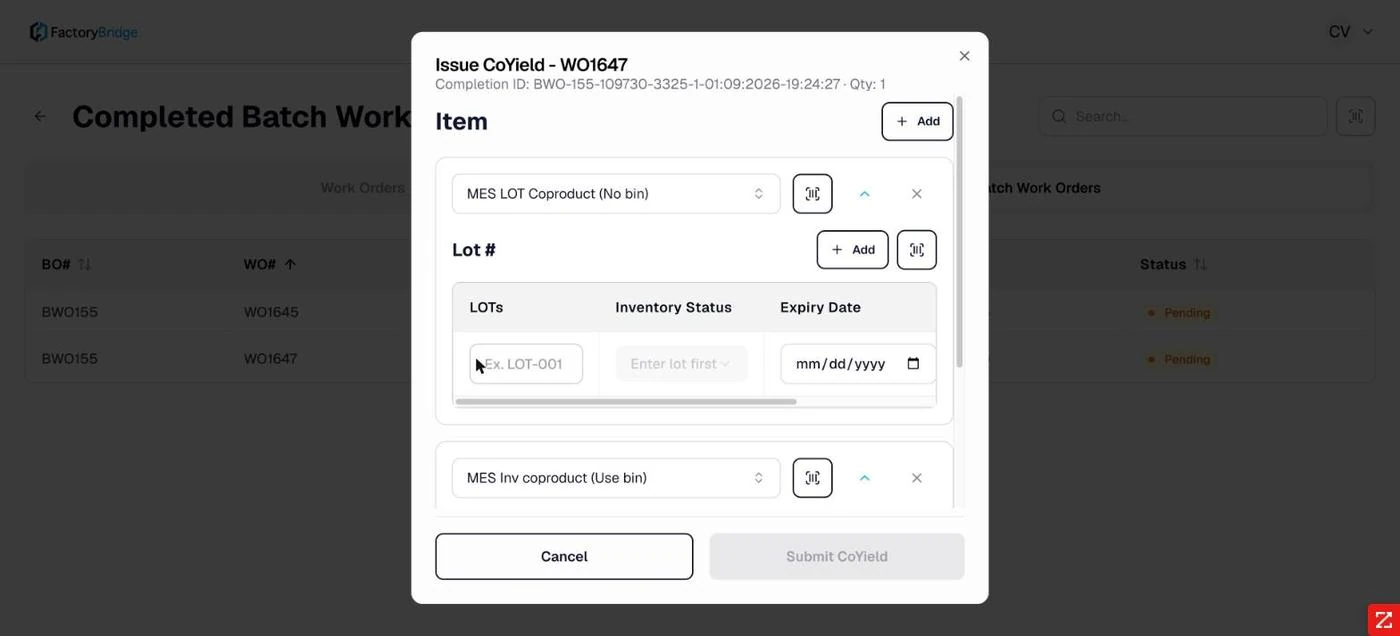
Pre-populated co-products. A lot-managed co-product and a bin-managed one, each with its own entry grid.
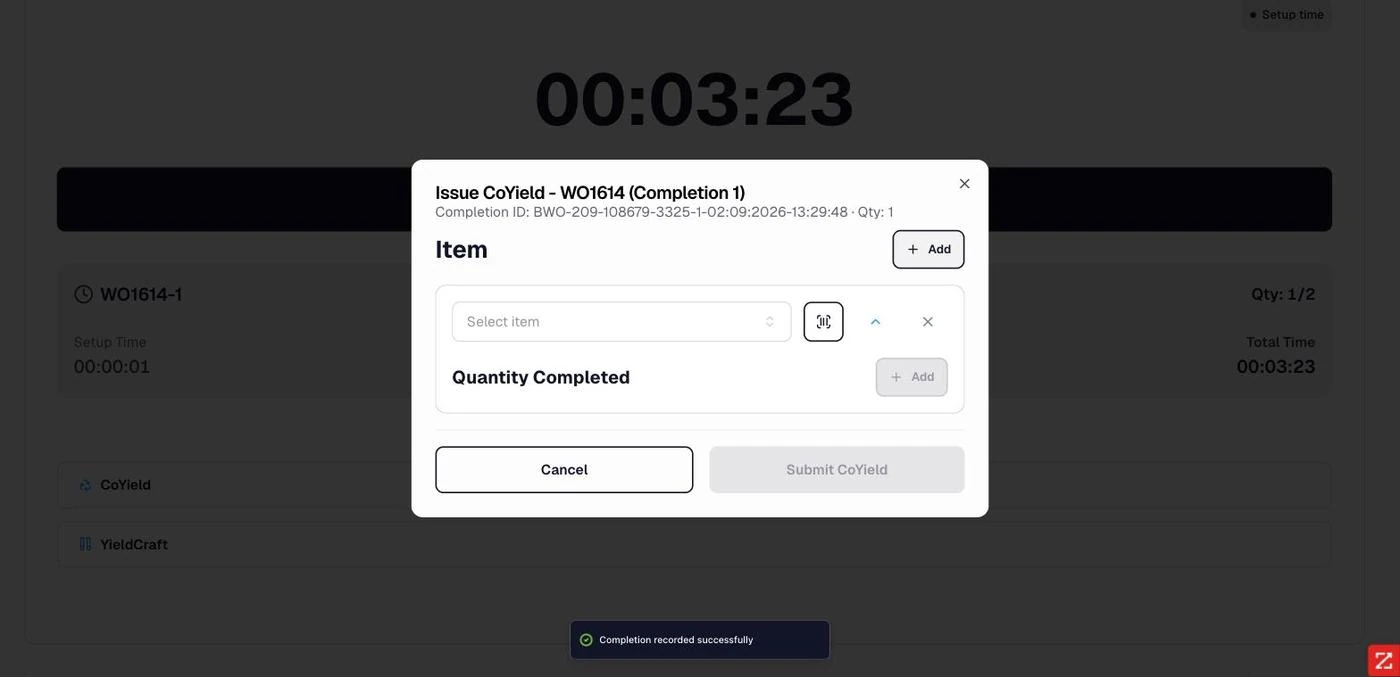
Added manually. An empty item row with a scan control, for work orders that define no co-products.
Entry mirrors the tracking of the item. Lot-managed co-products take a lot number, inventory status, expiry date and quantity. Bin-managed co-products take a bin, status and quantity.
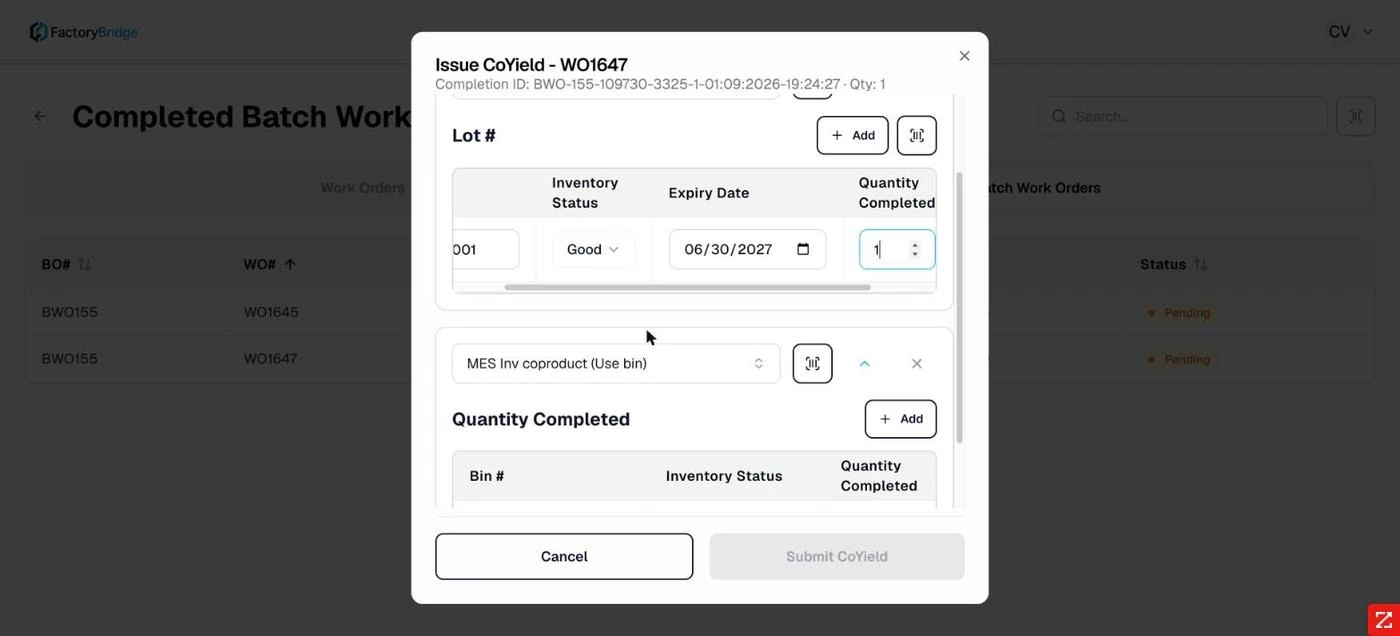
Lot-managed entry. Lot, status, expiry date and quantity.
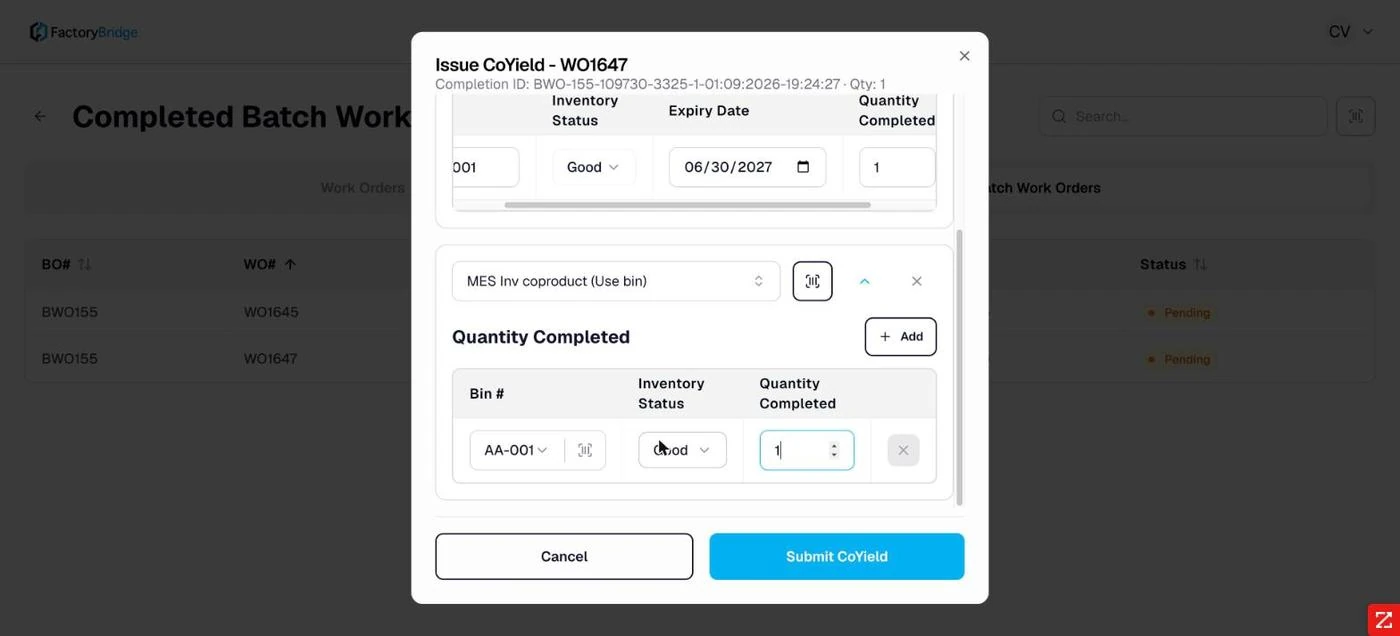
Bin-managed entry. Bin chosen from a searchable list, status and quantity.
Validation is explicit
Rather than disabling the submit button silently, the dialog lists what is still missing and keeps listing it until each item is resolved.
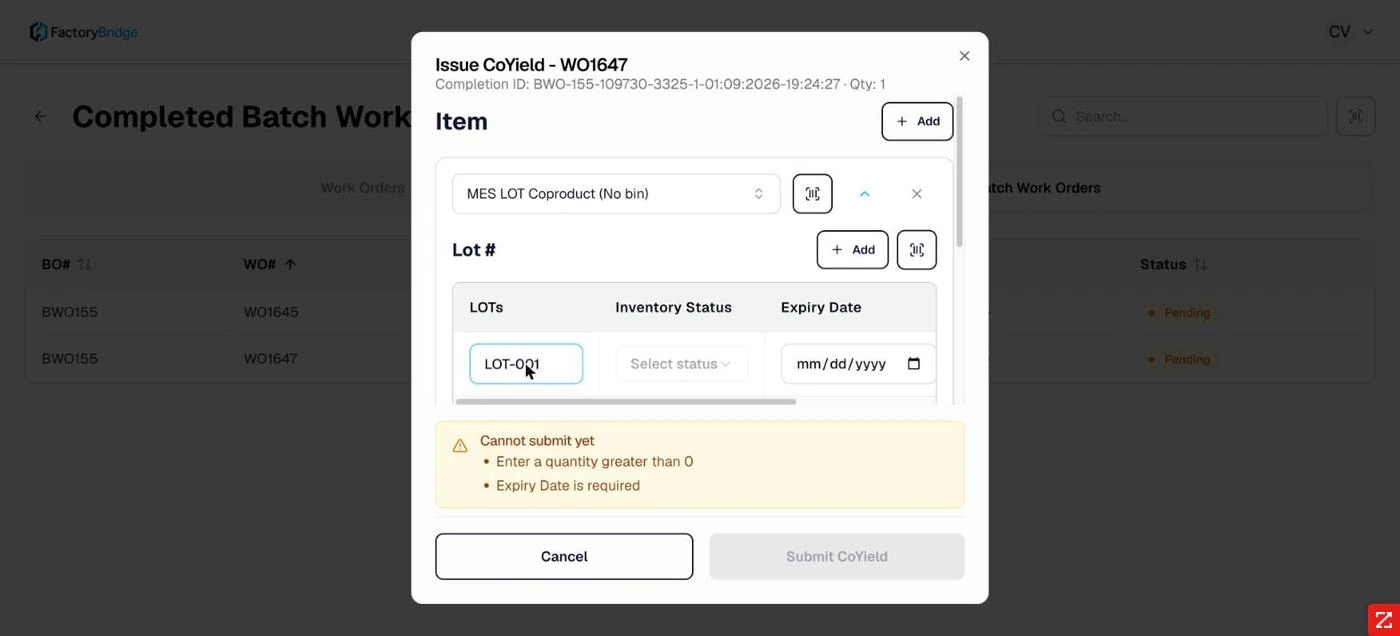
Cannot submit yet. Each unmet requirement is named — here a quantity greater than zero and a required expiry date.
Expiry date is a tenant setting
Whether expiry is mandatory is controlled by Require Expiry Date in admin settings. When disabled the field still appears but is optional.
History
Once recorded, the inline action becomes View Co-Yield History, listing what was submitted against that completion.
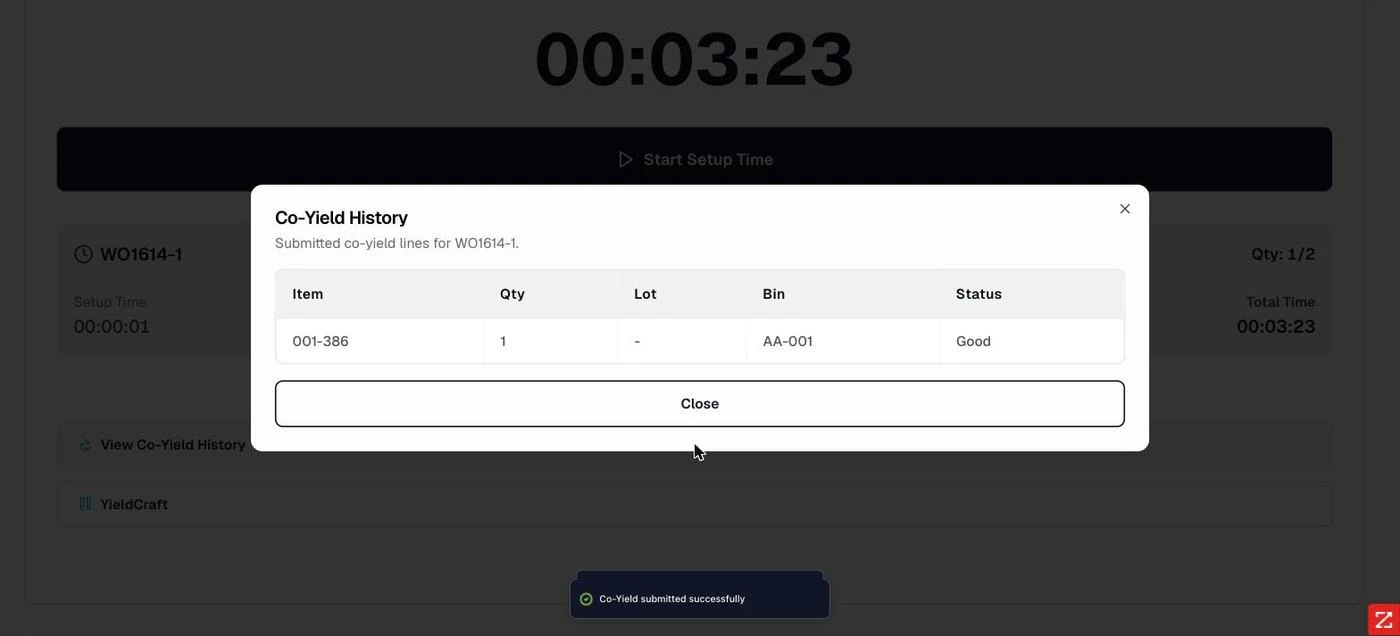
Co-Yield History. Item, quantity, lot, bin and status for each submitted line.
Frequently asked questions
Can co-yield be recorded for a partial completion?
Yes. Co-yield attaches to a completion, and a partial completion is a completion. A work order that produced two partial completions can carry separate co-yield records against each.
What is the difference between CoYield and YieldCraft?
CoYield records additional outputs — what else came off the line. YieldCraft reconciles inputs — how much component material was actually consumed against plan. Outputs and inputs, recorded separately.
Is co-yield mandatory?
No. It is presented as an optional follow-up and completions can be left with co-yield Pending indefinitely. If it matters for your costing, the module list is where you see what has been missed.
Frequently Asked Questions
What is the difference between CoYield and YieldCraft?
CoYield is the output side — what came out of the run besides the primary item. YieldCraft is the input side — planned component quantity against what was actually consumed.
Do co-products get their own lot numbers?
Yes. Each is recorded with its own lot, bin, inventory status and expiry date, so it can be traced independently of the primary output.