
The Admin Console
The customer administrator manages who can sign in, sees how locations and work centers map to NetSuite, controls the feature toggles that change what operators see, and reads the audit log and latency dashboard.
Users and roles
The console opens on the user list — name, email, role and status, with edit and delete per row.
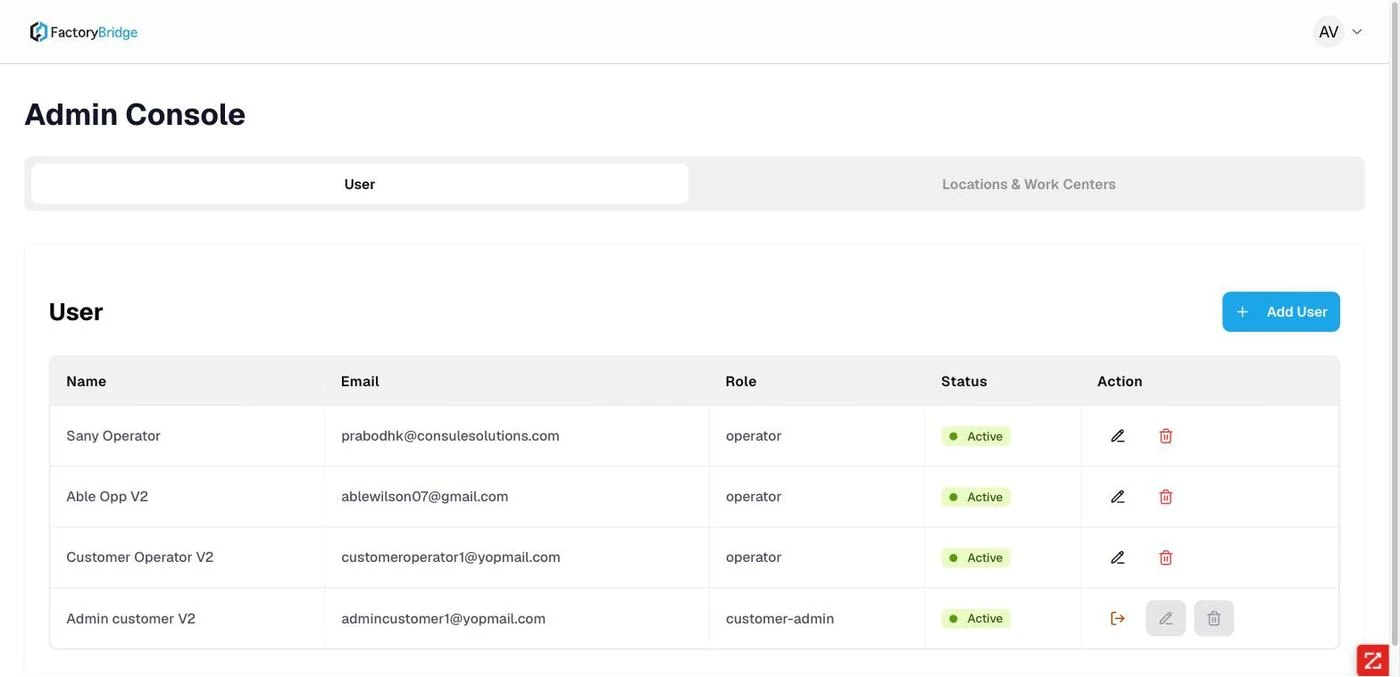
Admin Console — User. Every user in the tenant with their role and status.
Two roles are assignable, and the picker states plainly what each grants.
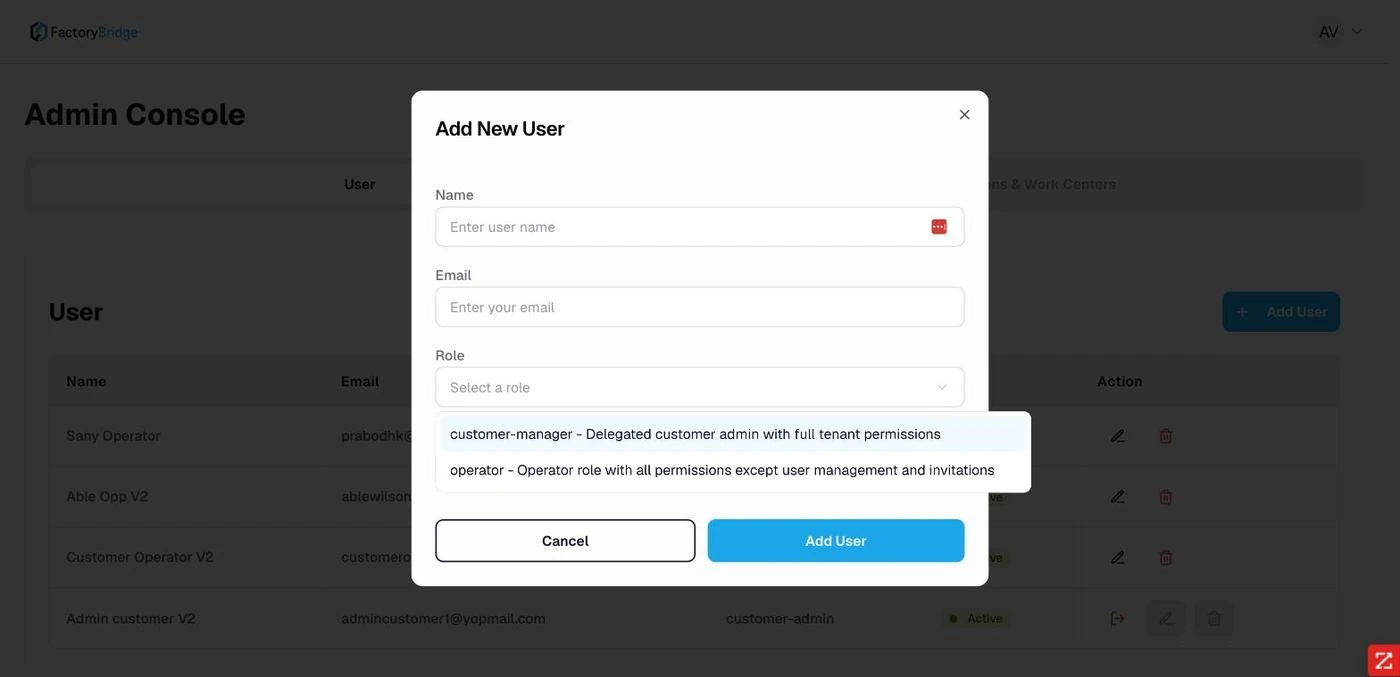
Role options. customer-manager — delegated customer admin with full tenant permissions. operator — all permissions except user management and invitations.
| Role | Grants | Assignable |
|---|---|---|
customer-admin | The tenant owner account. Full administration. | No |
customer-manager | Delegated customer admin with full tenant permissions. | Yes |
operator | All permissions except user management and invitations. | Yes |
Administrators cannot edit themselves
Edit and delete are disabled on customer-admin rows, with the tooltip "Customer-admin users cannot edit other customer-admin accounts or their own account." This prevents an administrator locking themselves or a peer out. A separate Clear active session action releases a session so the user can sign in elsewhere — which implies a single-active-session policy per account.
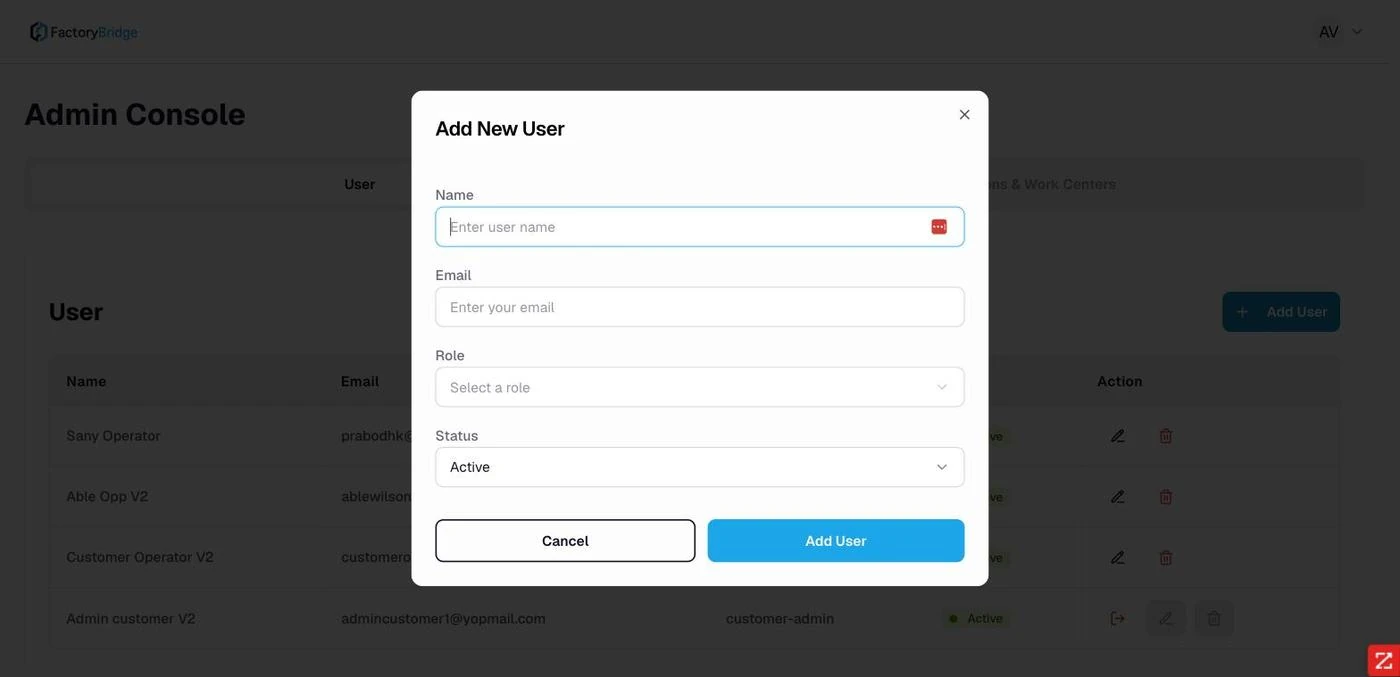
Add New User. Name, email, role and status.
Locations and work centers
The second tab lists every NetSuite location, expanding to the work centers beneath it with their NetSuite internal IDs. This is read-only — the structure is maintained in NetSuite — but it is the fastest way to confirm what an operator will see.
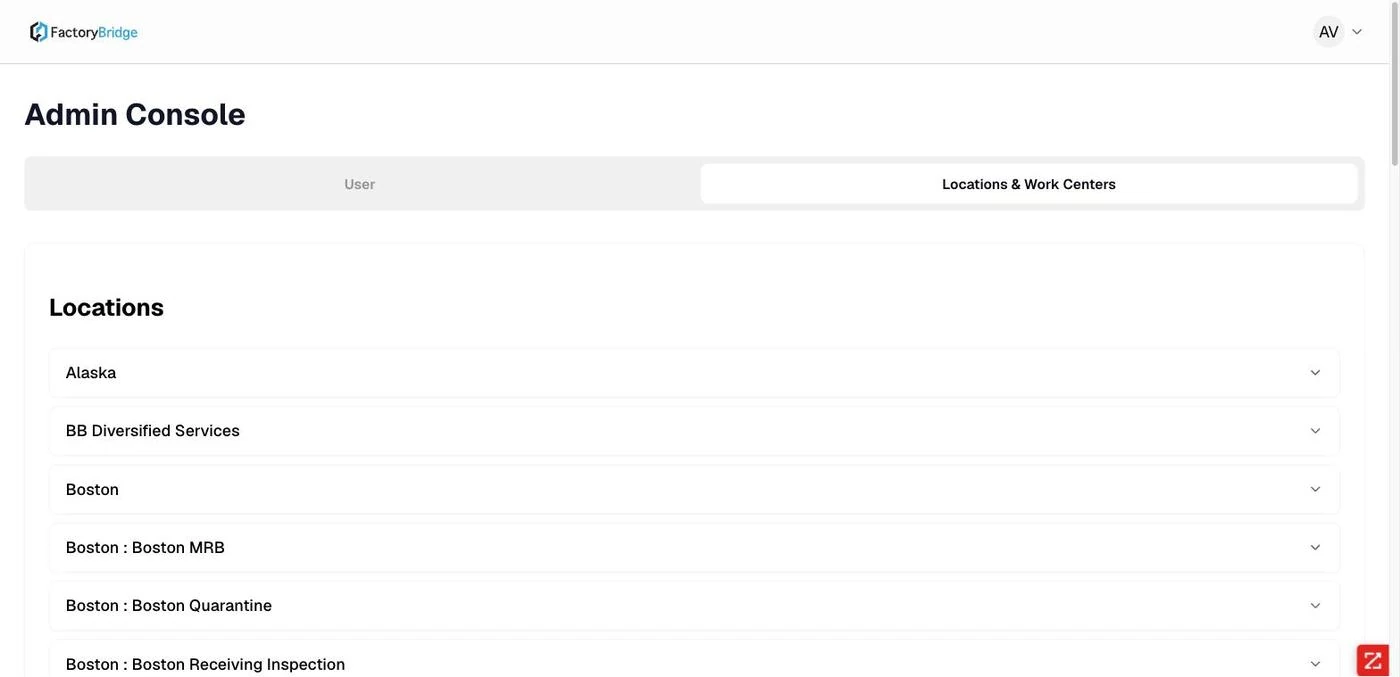
Locations. Every NetSuite location available to the tenant, including sub-locations.
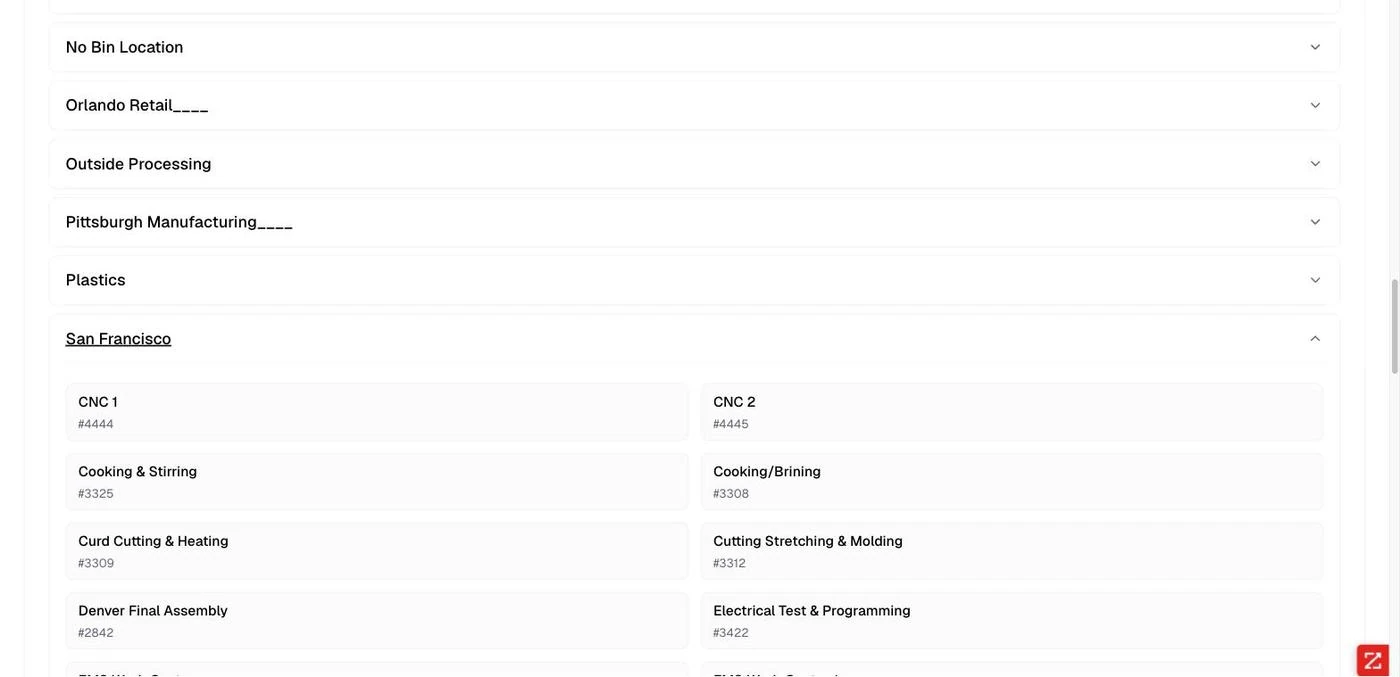
Work centers. Expanded with internal IDs — Cooking & Stirring is #3325, matching the operator console URL.
Feature toggles
Settings → Features controls operator-panel behavior for the whole tenant. Changes apply immediately. These four toggles explain more operator-facing behavior than any other screen in the product.
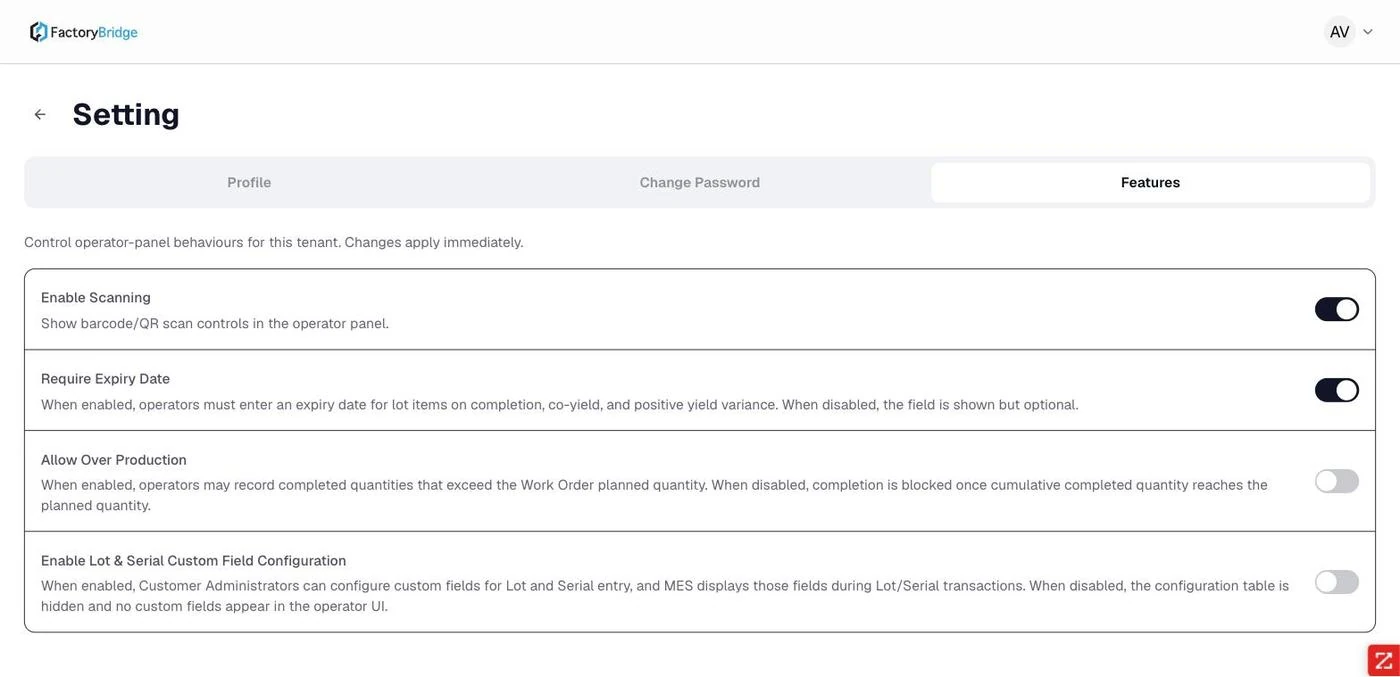
Features. Four tenant-wide toggles governing scanning, expiry dates, over-production and custom lot/serial fields.
| Toggle | Effect when enabled | Operator symptom when disabled |
|---|---|---|
| Enable Scanning | Barcode and QR scan controls appear throughout the operator panel. | Scan buttons disappear; identifiers must be selected or typed. |
| Require Expiry Date | Expiry is mandatory for lot items on completion, co-yield and positive yield variance. | The field still shows but submission no longer blocks on it. |
| Allow Over Production | Operators may record quantities exceeding the planned quantity. | Completion is refused once cumulative completed quantity reaches planned — the source of the "more than remaining" message. |
| Enable Lot & Serial Custom Field Configuration | Administrators can configure custom fields for lot and serial entry, which then appear in operator transactions. | The configuration table is hidden and no custom fields appear. |
Diagnostic shortcut
When an operator reports that the system "won't let them" do something, check this tab first. Three of the four toggles produce exactly that class of complaint.
Profile and branding
Settings → Profile carries the account name and a company logo upload that replaces the header mark for the administrator and every user they have invited.
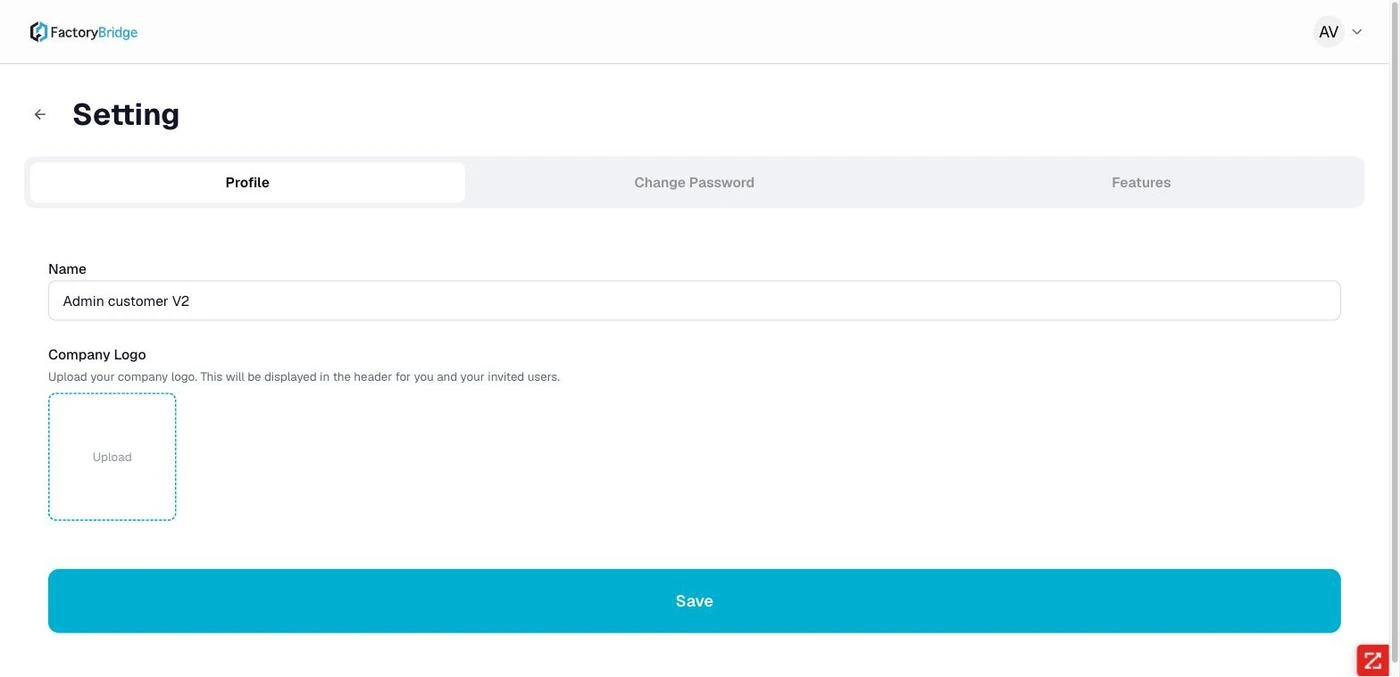
Settings — Profile. Account name and company logo, shown in the header for invited users.
API Latency Dashboard
A live view of gateway performance with the NetSuite portion isolated — average, P95, max and error rate over a selectable window, then a per-endpoint table split into PULL and PUSH.
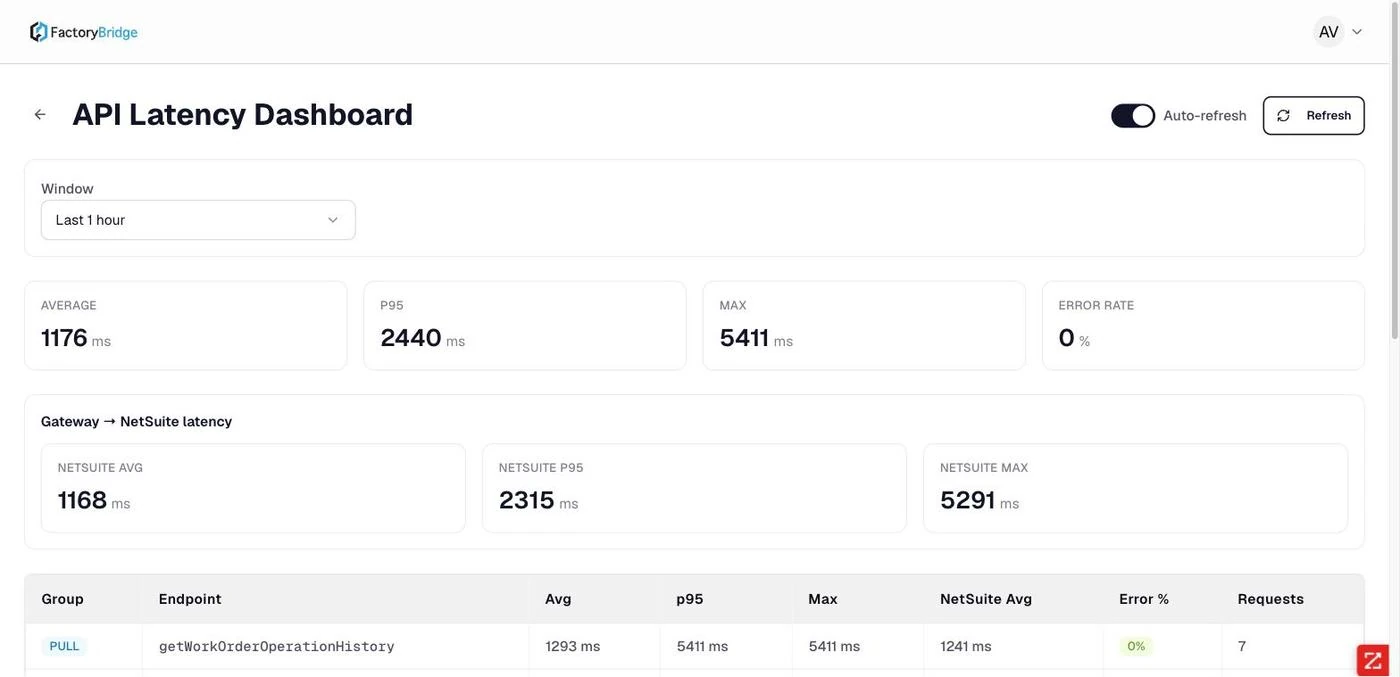
API Latency Dashboard. Headline figures, gateway-to-NetSuite latency, then per-endpoint detail with request counts and error rates.
What the numbers said on the documented tenant
Over one hour of genuine use: average 1176 ms, NetSuite average 1168 ms. The gateway contributes roughly eight milliseconds. P95 was 2440 ms and the slowest call 5411 ms, with a 0% error rate. Read plainly: the platform is reliable and the latency is NetSuite's. Front-end optimization will not move these numbers — reducing the number of round trips, or not blocking the operator on them, would.
Audit Log
Every operator action across the tenant, filterable by module, action type, operator, work order number and date range, exportable to CSV.
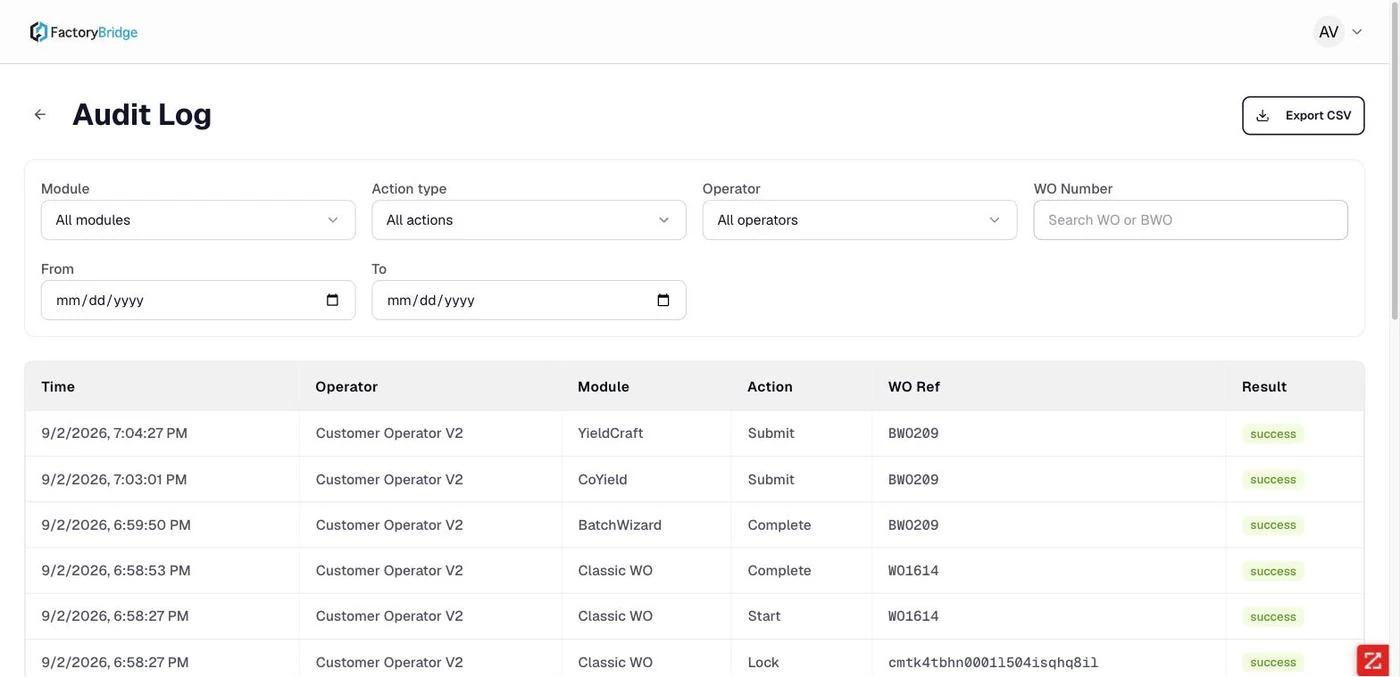
Audit Log. Time, operator, module, action, work order reference and result, with filters and CSV export.
Two naming inconsistencies worth aligning
The audit log labels the Work Orders module "Classic WO", a name that appears nowhere in the
operator interface. And Lock rows show a raw internal identifier
(cmtk4tbhn0001l504isqhq8il) in the WO Ref column rather than the work order number, which makes
lock events hard to correlate with the job they belong to.
Frequently asked questions
Can an administrator create locations or work centers?
No. Both are read from NetSuite. The Locations & Work Centers tab is a mirror, useful for confirming what an operator will be offered.
What does "Clear active session" do?
It releases the account's active session so the user can sign in on another device. Its presence implies accounts are limited to one active session, which is a sensible default for shared shop-floor hardware.
How far back does the audit log go?
The documented tenant held 94 entries spanning several weeks, paginated. The date range filter and CSV export are the tools for anything longer than a browse.
Does changing a feature toggle require operators to sign out?
The screen states that changes apply immediately. Have an operator refresh their console if they are mid-session when a toggle changes.
Frequently Asked Questions
Where do locations and work centers come from?
They are read from NetSuite as they already exist, including sub-locations, rather than being modelled a second time inside FactoryBridge.
What does the audit log capture?
Every action attributed to an operator, filterable by module, action, operator, work order and date, and exportable to CSV.
Can pause reasons be customized?
Yes — the coded reasons an operator picks from when pausing setup or run are configured here, which is what makes downtime reporting comparable across the plant.