
Issue Components — consuming material with traceability
Component issue is available during the run phase. It records which lot, from which bin, in which inventory status, was consumed against the operation — the backbone of downstream traceability.
Opening the dialog
The Issue Components action appears beneath the timer once the run phase has started. It lists the components the work order expects, each collapsible.
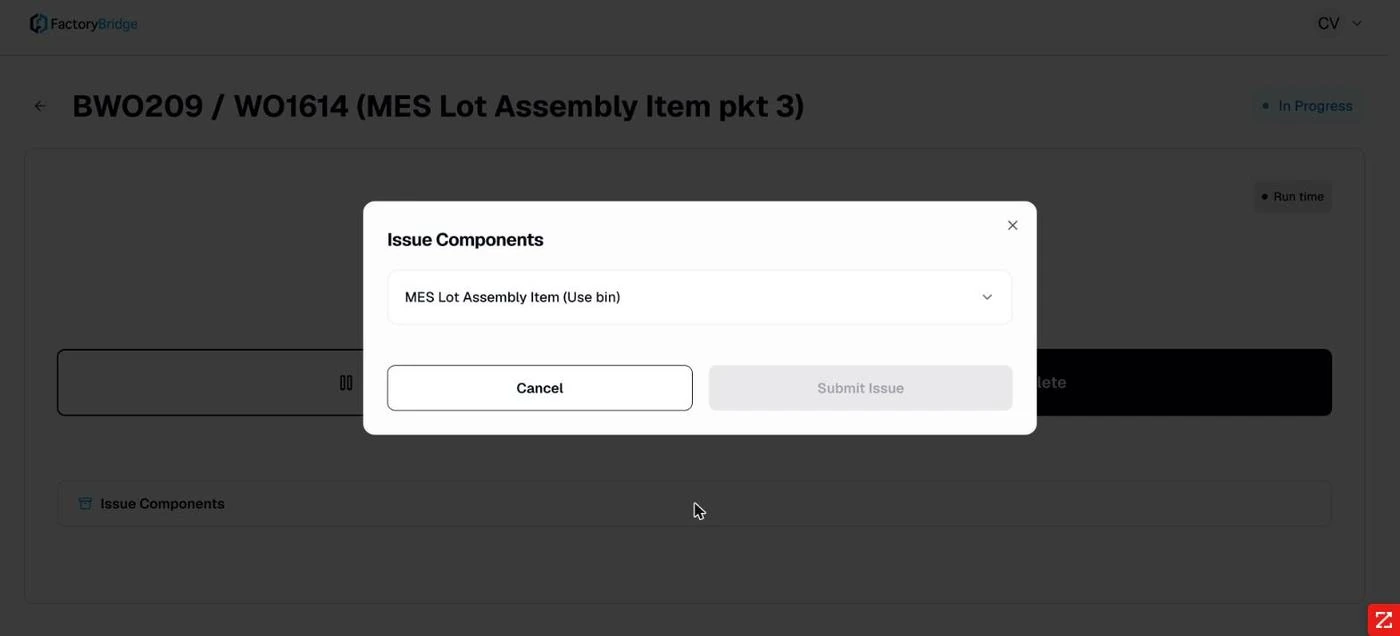
Issue Components. The components expected by this work order.
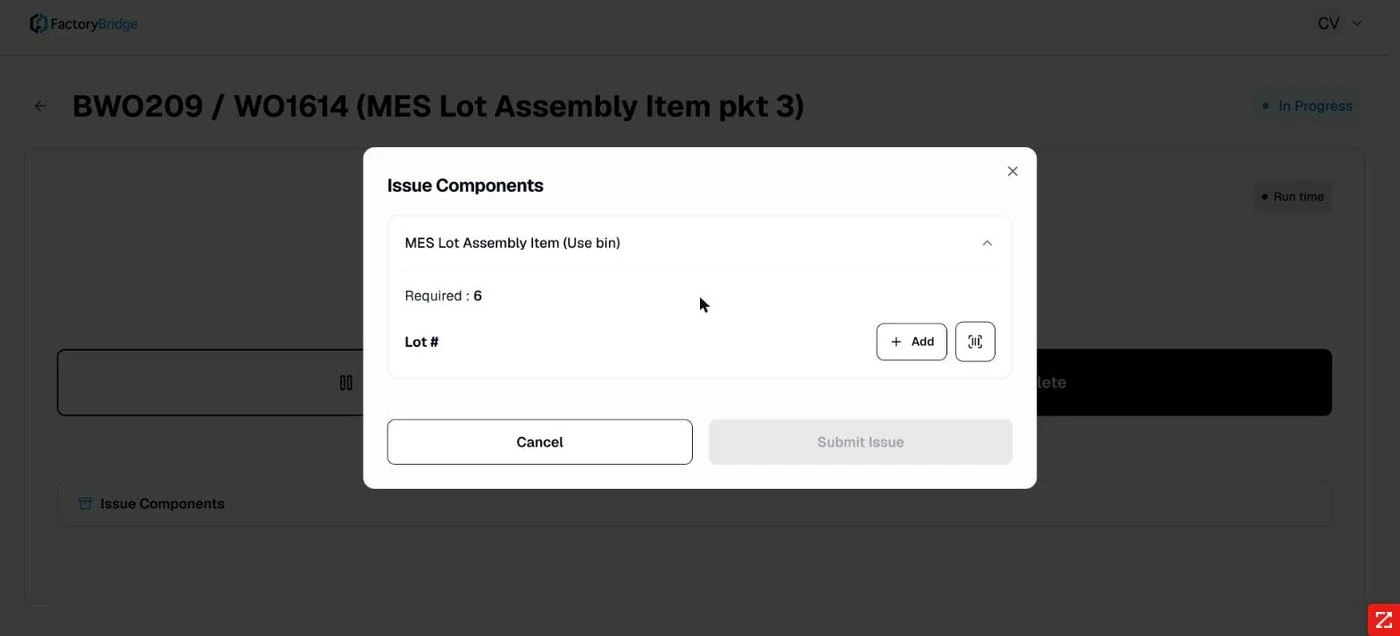
Expanded. Required quantity is stated, with Add to create an issue row and a scan control alongside.
The cascade
Issue rows resolve in order, each field narrowing the next. This is what prevents an operator from issuing a lot that is not actually in the bin they selected.
- Lot. Chosen from the lots available for that component.
- Bin. Narrowed to bins that hold the chosen lot.
- Inventory status. Resolved from the lot and bin combination — often auto-selected when only one status applies.
- Available quantity. Displayed, not entered — the operator sees what is actually there.
- Quantity to issue. Entered against that availability.
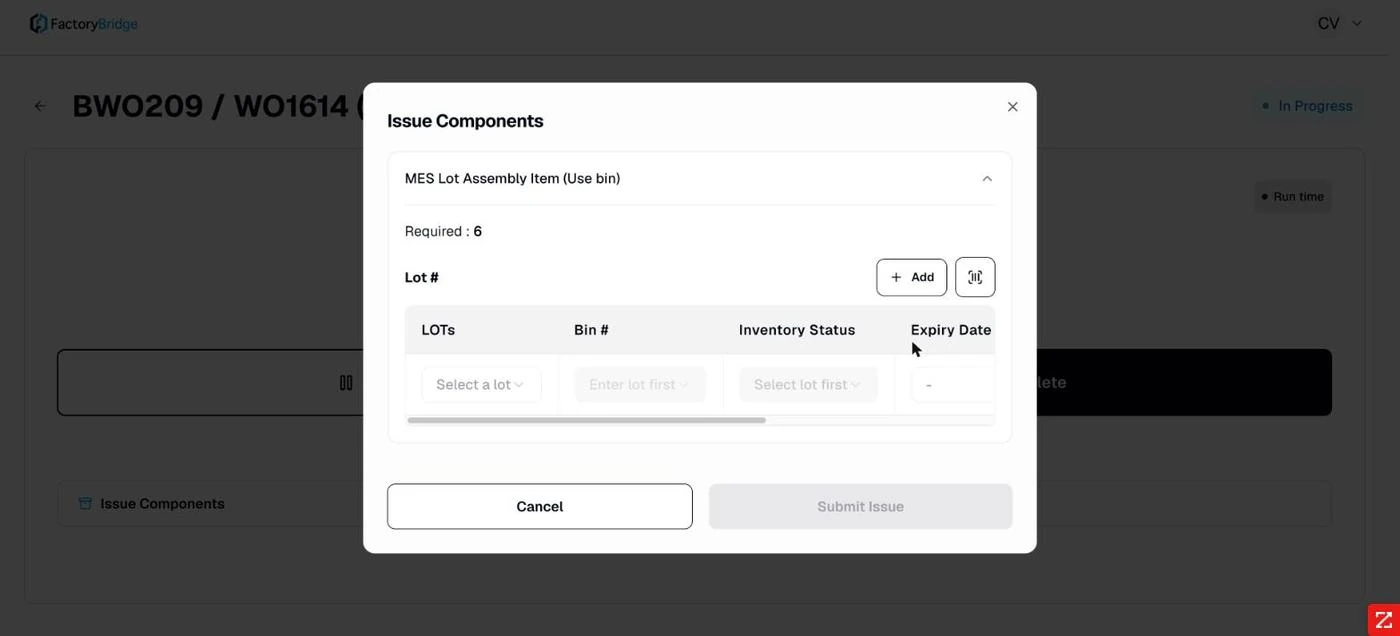
The cascade. Bin and status stay disabled until a lot is chosen — "Enter lot first", "Select lot first".
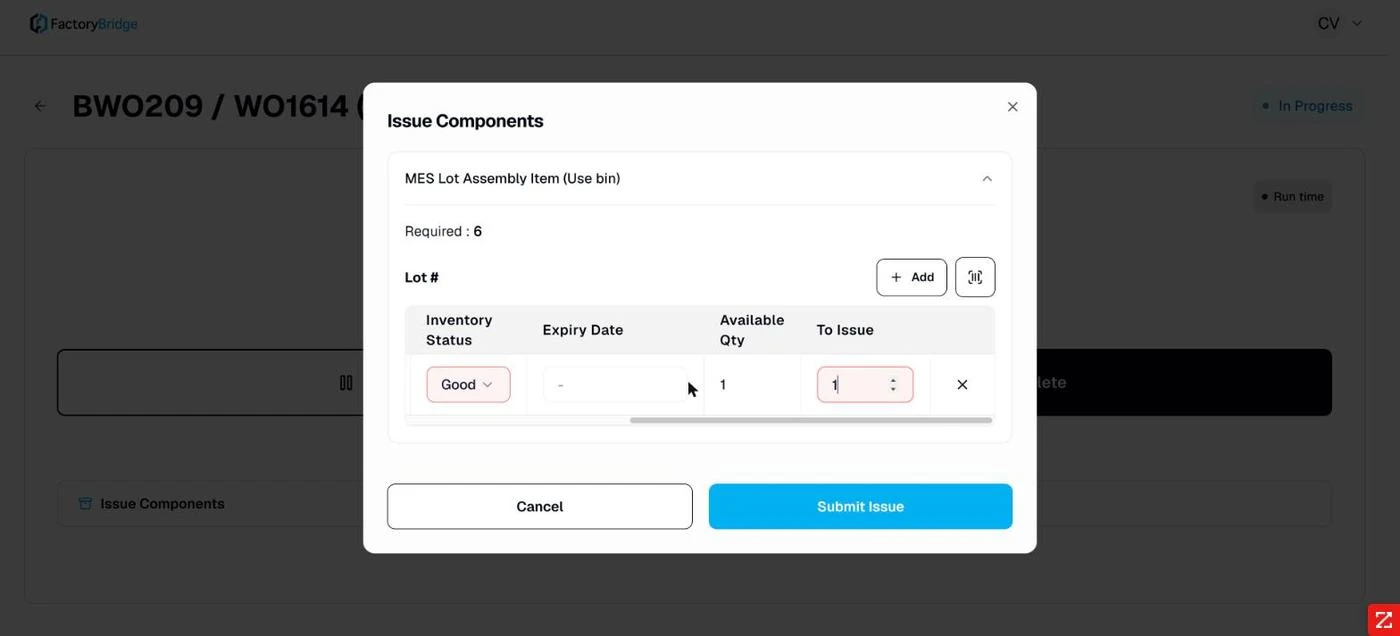
Ready to submit. Available quantity resolved, quantity to issue entered.
Non-lot components skip straight to bin, status and quantity. Components with neither lot nor bin tracking take a quantity alone.
After submission
The action changes to View Issued Components, which shows what was consumed — component line, issued quantity, lot, bin and status.
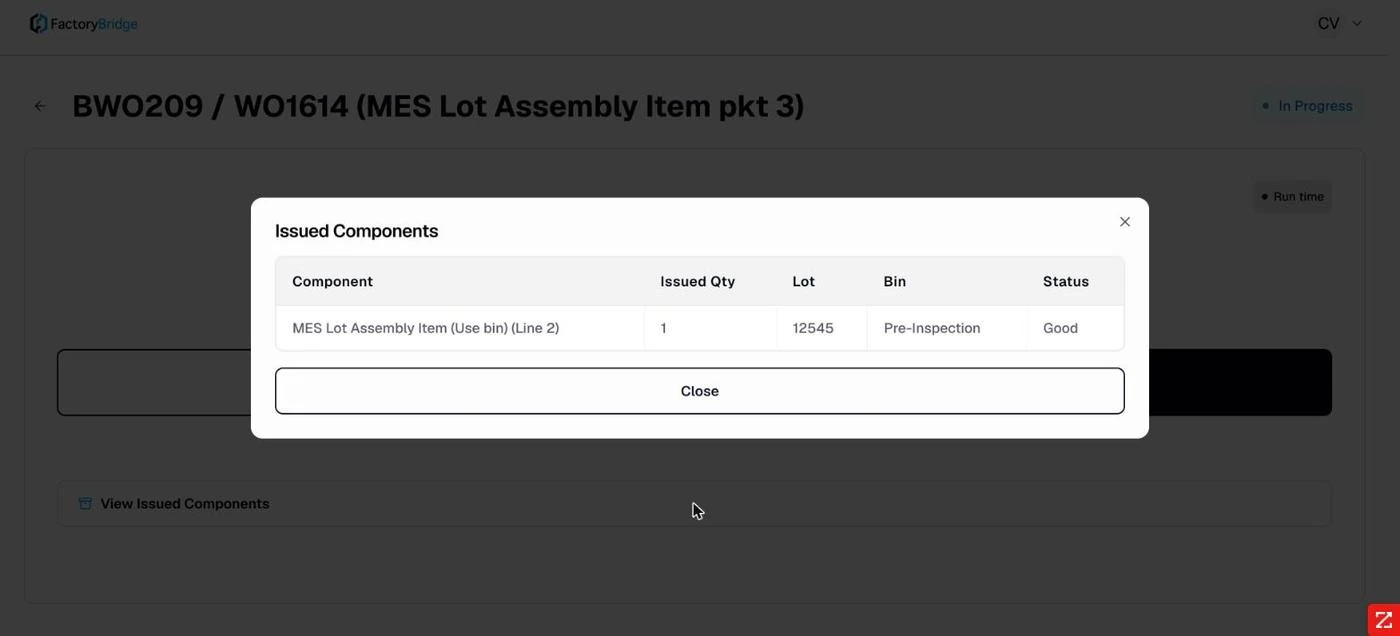
Issued Components. The audit view: component line, issued quantity, lot, bin and inventory status.
Partial issues are permitted
Where required quantity exceeds what a single lot or bin holds, the operator can issue what is available and the system accepts it without objection. Add further rows to draw from additional lots or bins. If your process requires the full required quantity to be issued before completion, that control does not exist today and would need to be enforced procedurally.
Frequently asked questions
Can components be issued after the run phase is complete?
Yes — Issue Components remains available on the post-run action list alongside Enter Completion, so material can be reconciled after the fact.
What if the lot needed is not in the list?
The list is populated from NetSuite inventory for that component. A missing lot means it is not on hand in a bin visible to this location, which is an inventory question rather than a FactoryBridge one.
Is issuing the same as consuming in NetSuite?
The issue is posted to NetSuite against the work order. The audit log records it as
Issue under the relevant module.
Frequently Asked Questions
What happens if a component is not lot-tracked?
The cascade skips what does not apply. A component with no lot tracking goes straight to bin, status and quantity; one with neither takes a quantity alone.
Can an operator issue a lot that is not in the bin they picked?
No. The bin list is built from the chosen lot, so the combination is always one that exists in NetSuite.
Is available quantity live?
It is read from NetSuite at the moment of issue and displayed rather than entered, so the operator issues against what is really there.