
Work Orders — execution at the work center
The Work Orders module is where an operation is actually run: setup timed, run timed, pauses coded to a reason, and a completion quantity entered against the work order.
The work order list
Every work order whose current routing operation sits at the selected work center, with planned, completed and remaining quantities, accumulated time and status. The list can be searched, sorted on any column, filtered to Partially Completion, and its columns can be shown or hidden.
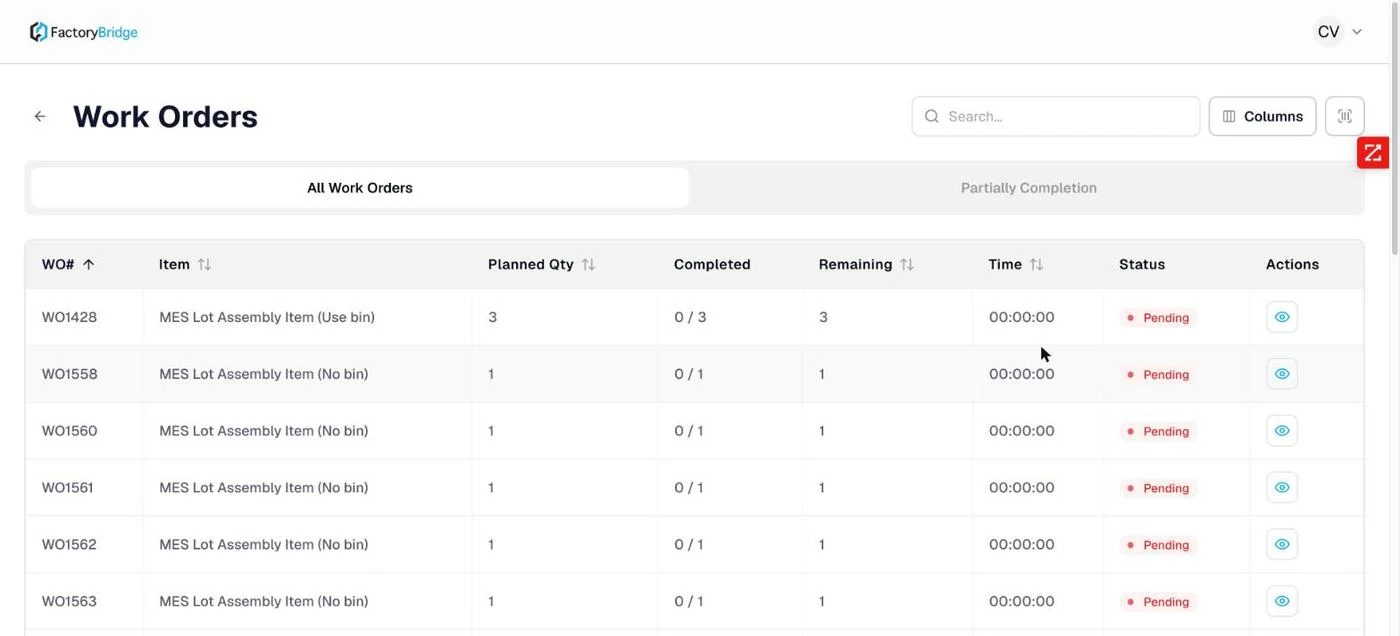
Work Orders. Planned quantity, completed against planned, remaining, accumulated time and status, with search and a column picker.
Seeing the whole routing
The eye icon on any row opens the operation details — the full routing across every work center, with the current operation marked. This is how an operator answers "where is this job actually up to?" without leaving the console.
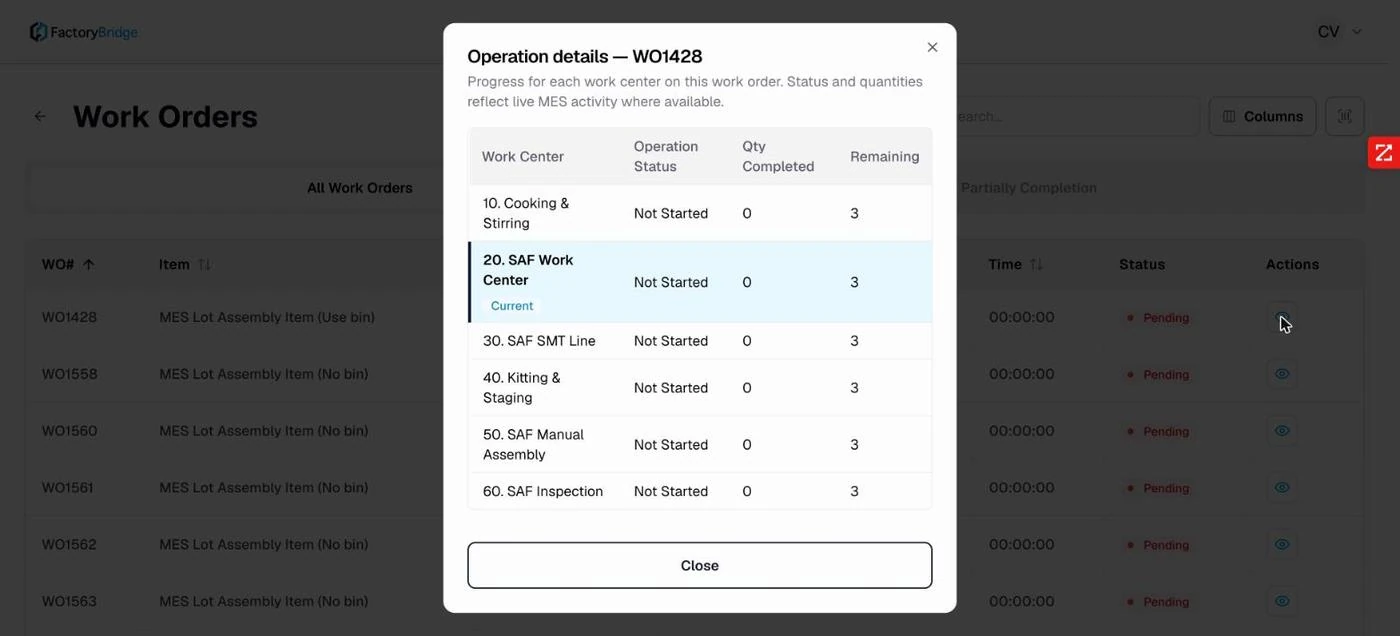
Operation details. Each work center in routing order, its operation status, quantity completed and remaining. The current operation carries a Current badge.
The routing gate
Operations cannot be run out of order. If the preceding operation has not been started, the execution screen refuses and says so plainly.
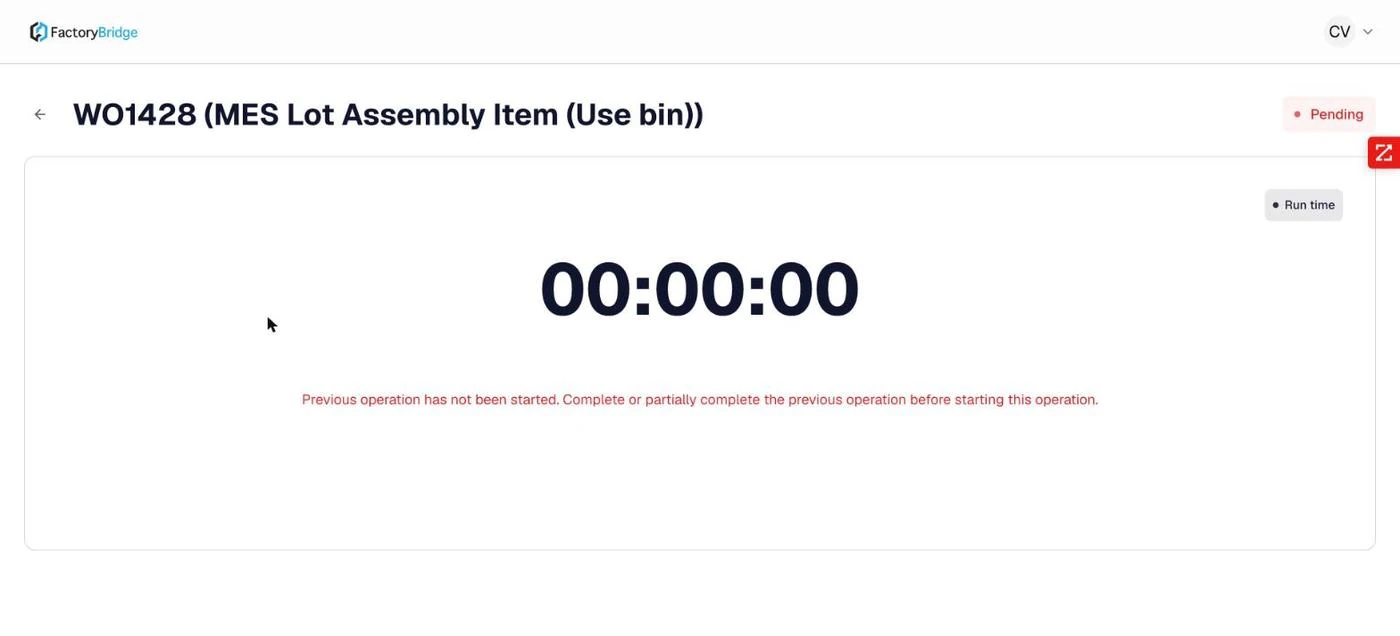
Routing enforced. "Previous operation has not been started. Complete or partially complete the previous operation before starting this operation."
Two timed phases
Each operation is timed in two independent phases — setup and run. They are recorded separately, which is what makes changeover cost visible rather than buried inside total production time.
- Start Setup Time. The timer runs and the work order moves to In Progress.
- Pause, with a reason. Pausing requires a coded reason, so downtime is categorized at the moment it happens rather than reconstructed later.
- Complete setup. A confirmation states the elapsed time that will be recorded and warns that it cannot be undone. The work order moves to Setup Completed.
- Start Run time. The same controls, timed separately. Issue Components becomes available during this phase.
- Complete run. Again confirmed with the elapsed time. The work order moves to Runtime Complete and the batch time summary appears.
- Enter Completion. Quantity completed, validated against what remains.
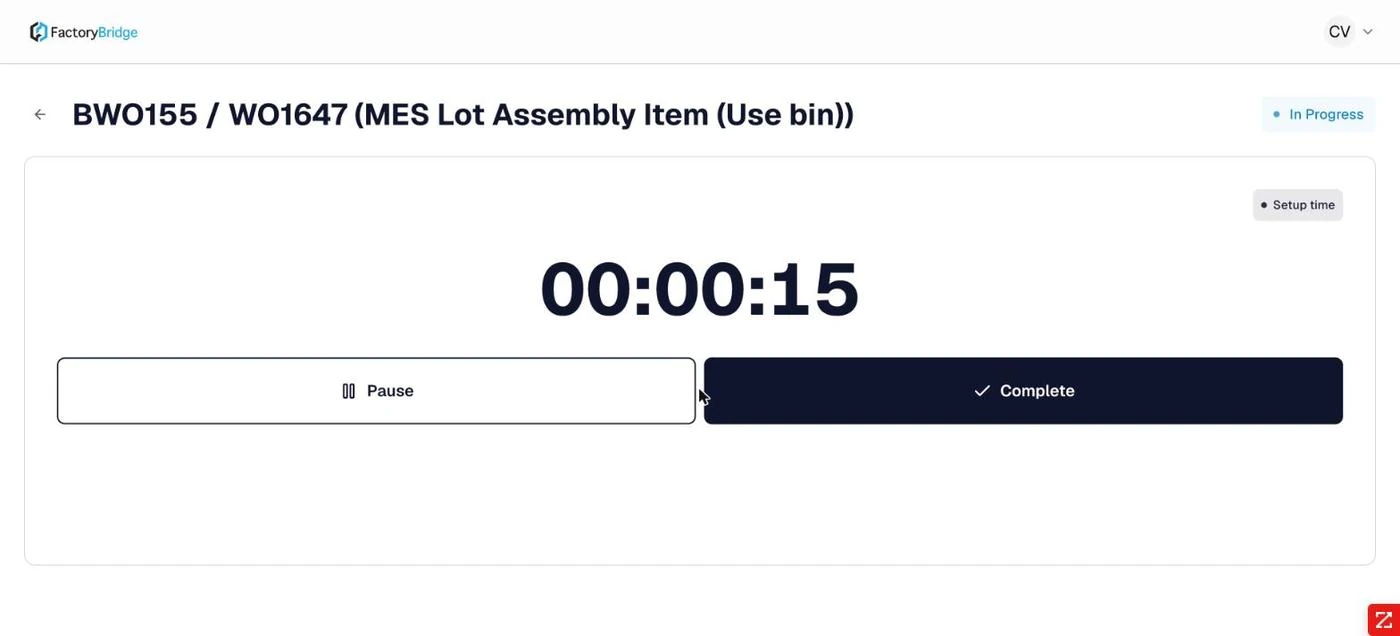
Setup running. Pause and Complete, with the phase badge showing Setup time.
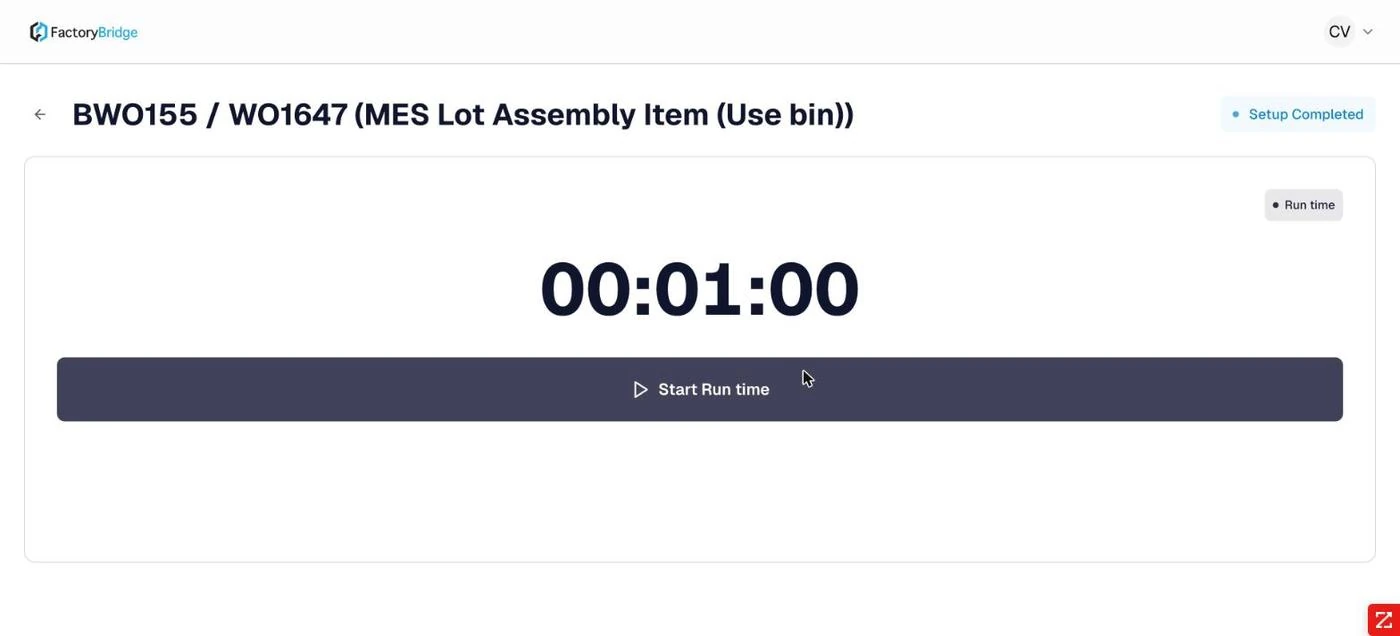
Setup complete. The phase badge switches to Run time and the action becomes Start Run time.
Pause reasons
A pause cannot be recorded without selecting a reason. The list is the tenant's downtime taxonomy — on the documented tenant it includes Machine Breakdown, Machine Maintenance, Material Quality Issue and Material Shortage, among others.
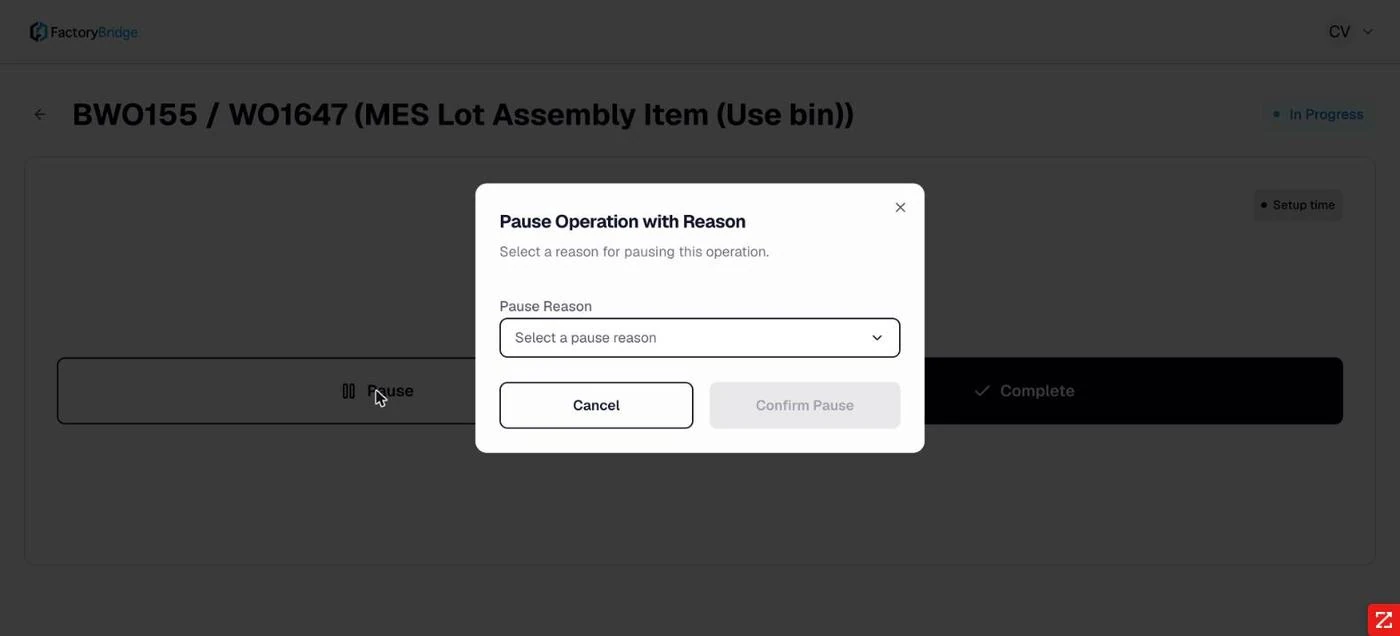
Pause requires a reason. Confirm Pause stays disabled until one is chosen.
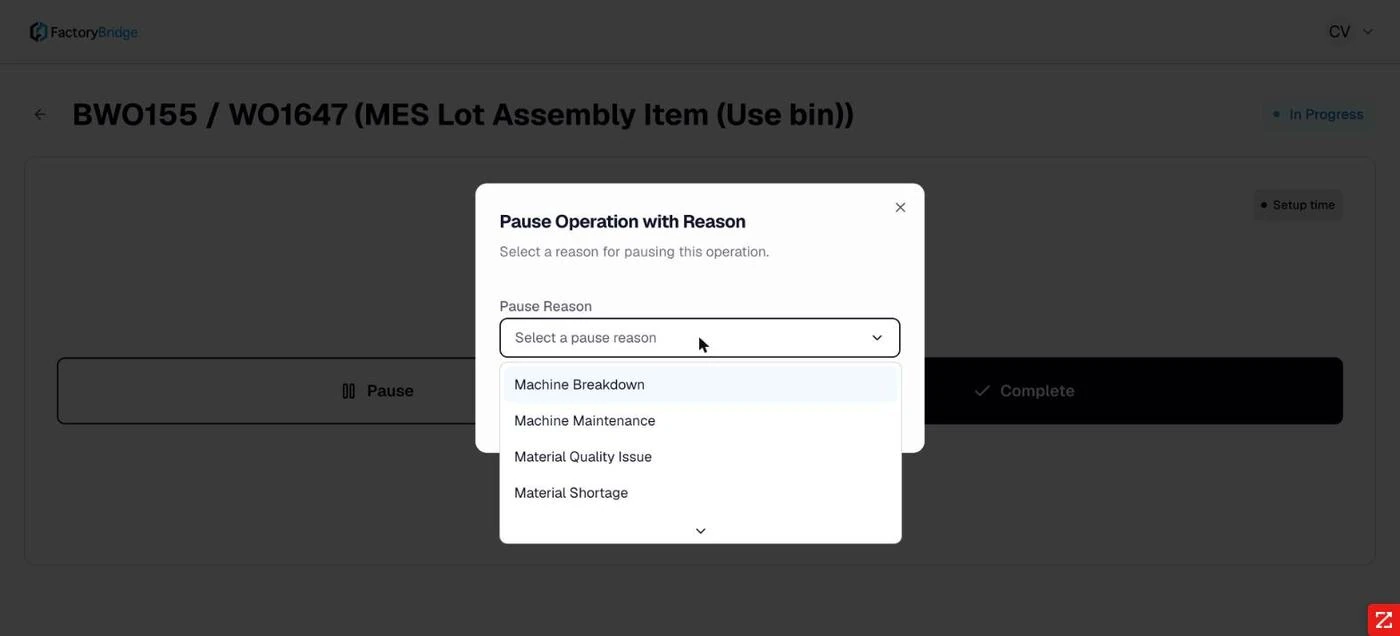
The reason list. Machine Breakdown, Machine Maintenance, Material Quality Issue, Material Shortage and more.
This is the most valuable data the system collects
Coded pause reasons captured at the moment of stoppage are what turn a timer into downtime analysis. Getting the reason list right for the plant matters more than almost any other configuration decision.
Irreversible steps are confirmed
Completing a phase states the exact elapsed time that will be written and warns that the action cannot be undone.
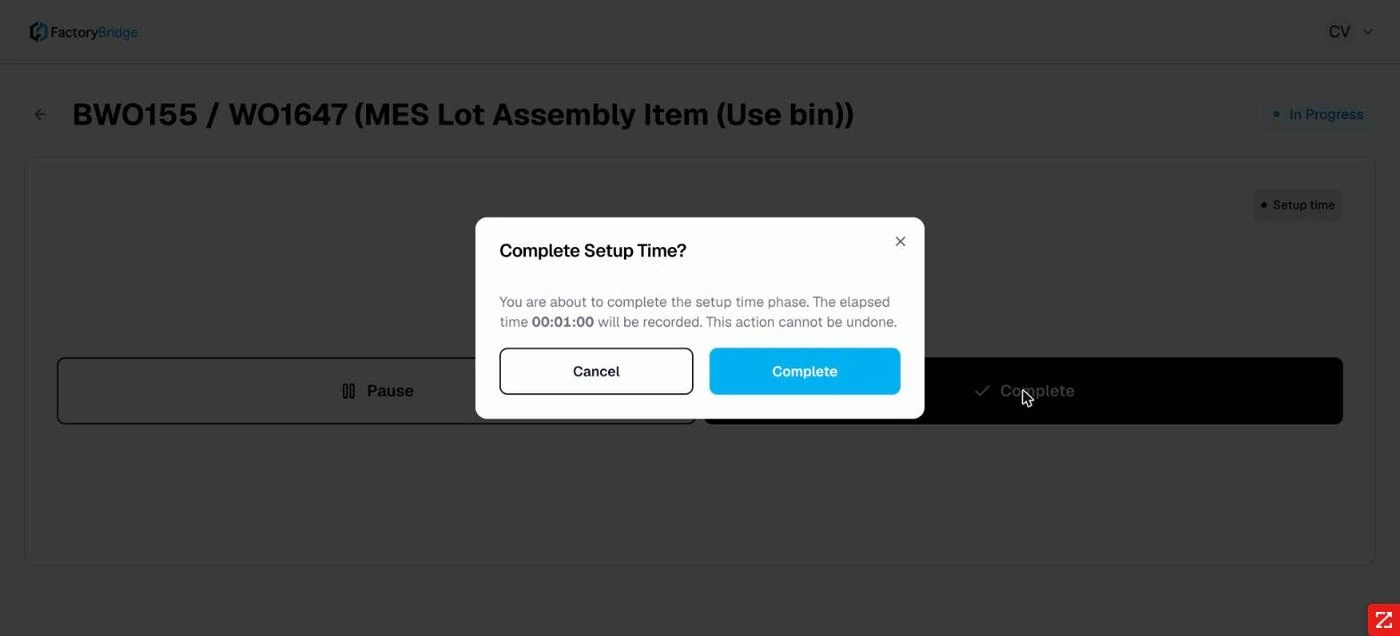
Complete Setup Time? The elapsed time to be recorded is stated explicitly.
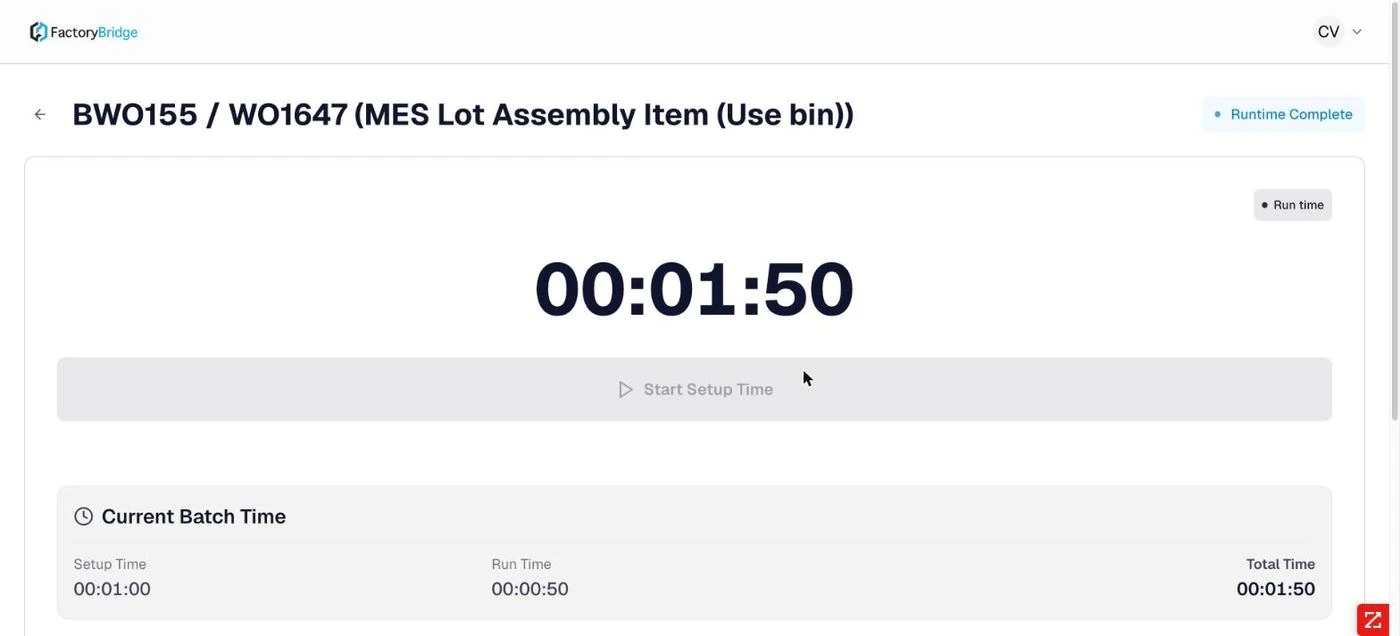
Current Batch Time. Setup, run and total, shown once the run phase closes.
Recording the completion
The completion dialog shows the completion time, the quantity entered so far in this segment and the quantity remaining. Partial completions are supported — enter less than the balance and the work order moves to Partially Built, retaining the remainder.
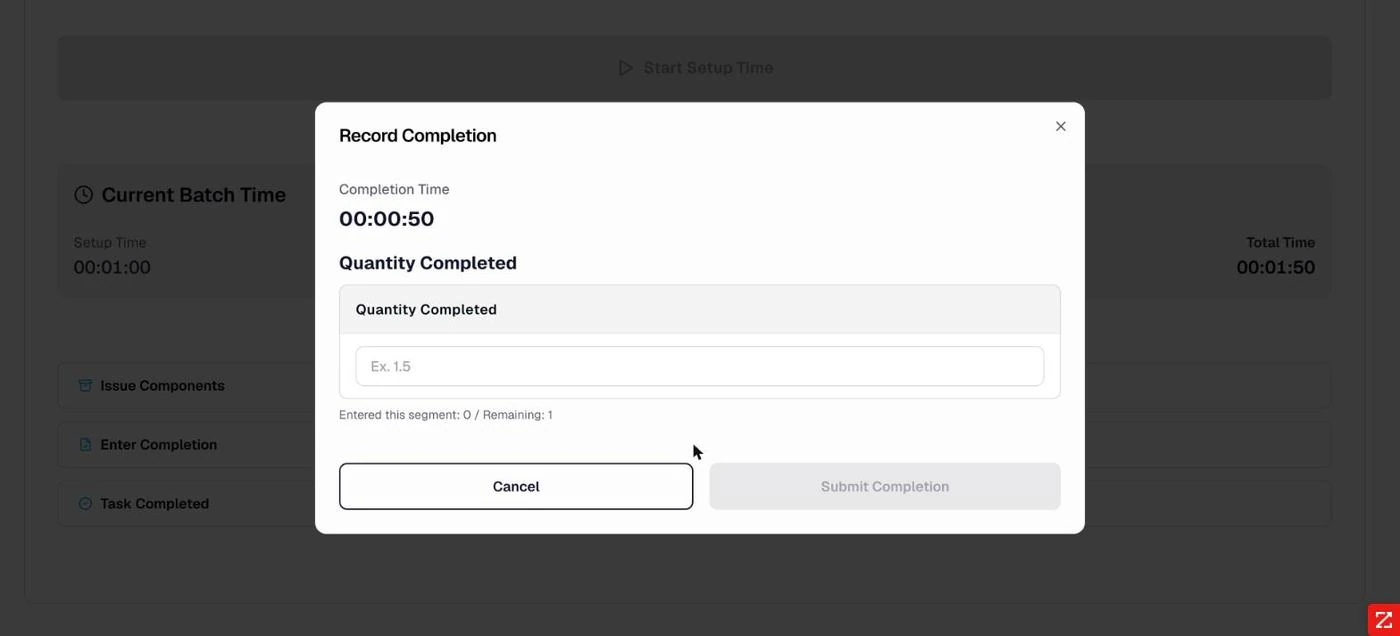
Record Completion. Quantity completed, with "Entered this segment" and "Remaining" shown beneath the field.
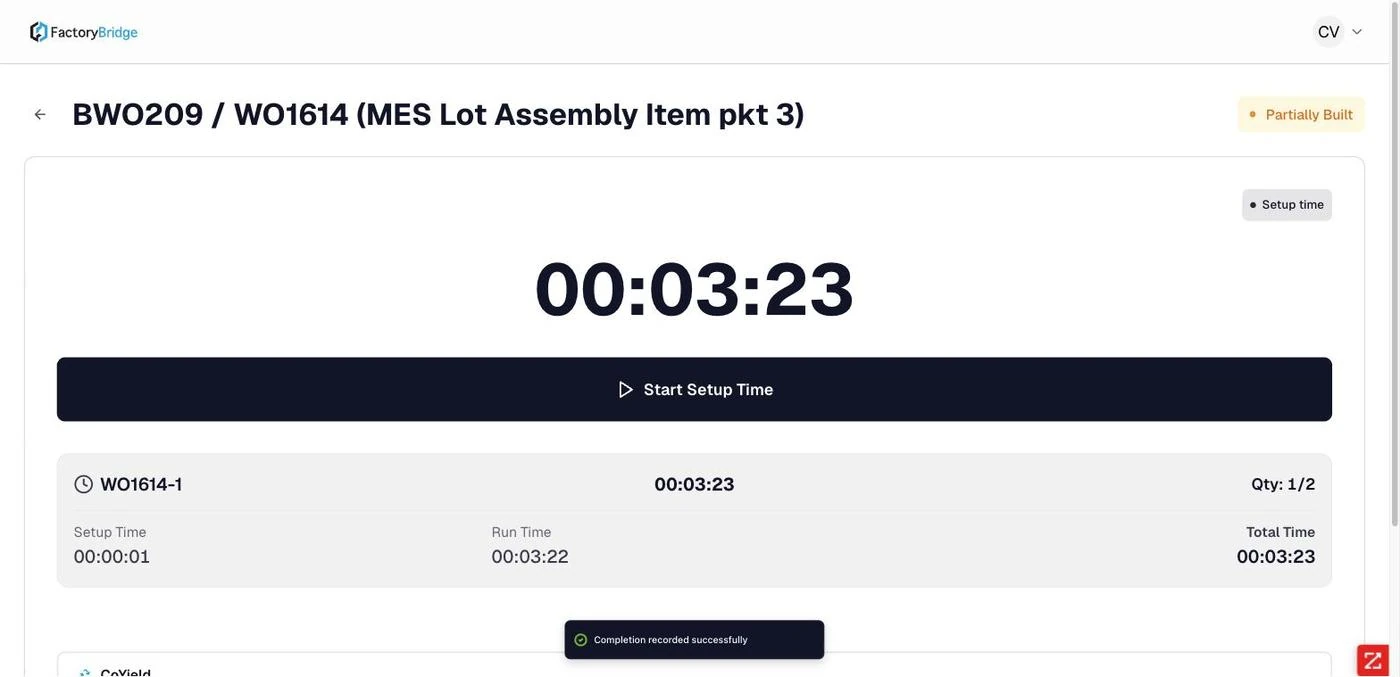
Partially Built. A completion of 1 against a planned 2 leaves the work order open with the balance outstanding.
Once a completion exists it becomes a record in its own right — labelled WO1614-1 for the
first completion of that work order — carrying its own setup time, run time and total, and its own
CoYield and YieldCraft entries.
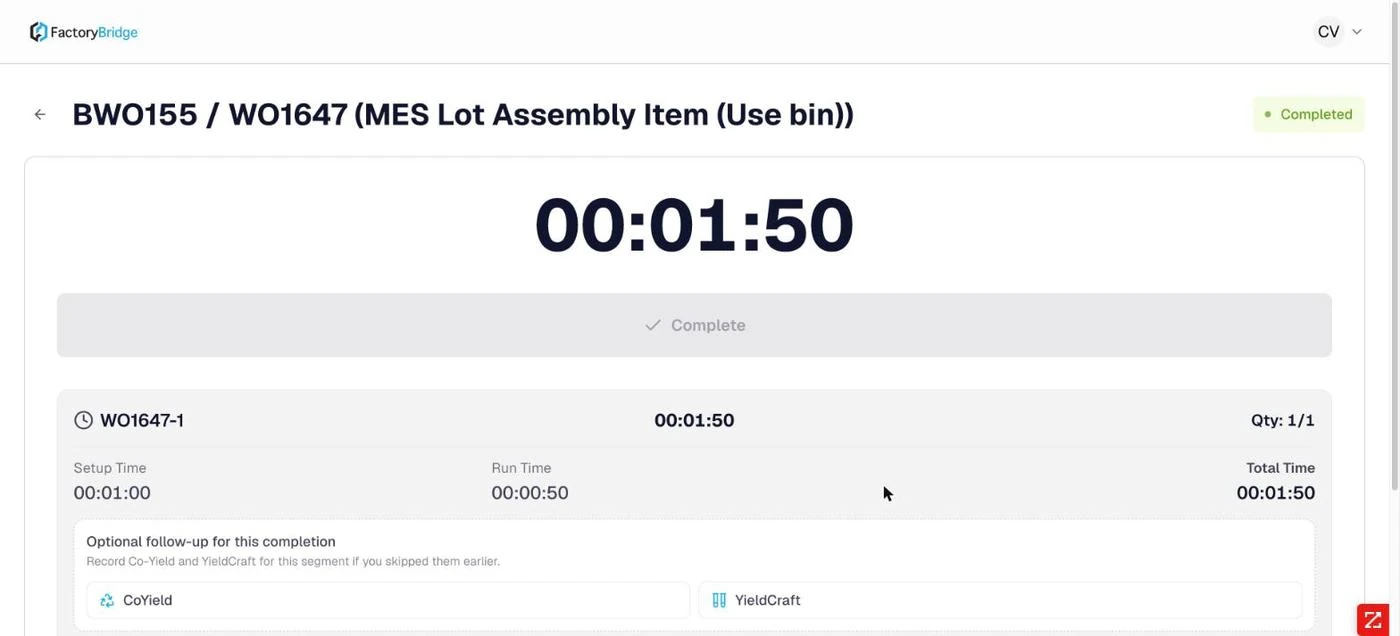
A completed work order. Completion record, time breakdown and the optional follow-ups for co-yield and yield variance.
Behavior worth knowing
| Observation | Detail |
|---|---|
| Over-production is blocked by default | Completion is refused once cumulative completed quantity reaches the planned quantity, unless Allow Over Production is enabled in admin settings. |
| Locks prevent double-running | Starting an operation acquires a work order lock, recorded in the audit log. |
| Timers survive navigation | Leaving the screen and returning shows the operation still running with accumulated time intact. |
Frequently asked questions
Can setup and run be recorded by different operators?
Each action is attributed individually in the audit log, so a shift change mid-operation is recorded accurately. The work order lock is what governs simultaneous access, not the phase.
What happens to a pause that is never resumed?
The operation stays in Paused with the timer stopped. It does not accrue time and it does not auto-resume; an operator must resume or complete it explicitly.
Can a completion be corrected after submission?
Not from the operator console. Completion dialogs state that the action cannot be undone, and the correction belongs in NetSuite. This is deliberate — the console is an execution record, not an editing surface.
Why does the run phase briefly show the setup elapsed time?
After completing setup, the timer continues to display the setup total under a Run time badge until Start Run time is pressed, at which point it resets to zero. Cosmetic, but it reads as though run time has already accrued.
Frequently Asked Questions
Why are setup and run timed separately?
Because they cost different things. Recording them as one production total buries changeover cost; splitting them makes it visible per operation, per work center and per operator.
What stops two operators running the same job?
Starting an operation takes a lock on the work order. A second operator at the same station is told the job is already running rather than being allowed to double-post time.
Can operations be run out of order?
No. If the preceding operation has not been started, the execution screen refuses and says which operation has to come first.